8 Crucial CCNA Sample Test Questions You Must Master in 2026
Welcome to MindMesh Academy's expert guide, designed to elevate your Cisco Certified Network Associate (CCNA) exam preparation beyond rote memorization. The CCNA certification demands not just theoretical knowledge but a robust understanding of networking principles and the ability to apply them under pressure. Many aspiring IT professionals find themselves challenged not by a lack of knowledge, but by an unfamiliarity with the exam's unique question formats and strategic demands. Success hinges on deconstructing how questions are posed and precisely what they aim to assess.
This guide provides more than just a list of CCNA sample test questions. Instead, you'll gain a strategic framework for methodically tackling each major question type you’re likely to encounter. We will dissect a diverse array of examples, ranging from multiple-choice theory questions to complex command-line scenarios, offering detailed, step-by-step breakdowns of the correct answers. Crucially, we’ll uncover the underlying logic behind each question, providing tactical insights and actionable takeaways you can immediately apply during your studies and on exam day.
Our approach shifts your focus from simple practice to critical strategic analysis. You'll learn to identify common distractors, manage your time effectively, and confidently solve problems. By understanding the patterns in how concepts like subnetting, routing protocols, and security are tested, you’ll begin to "think like the exam creators." This strategic perspective is key to demonstrating your true networking expertise and achieving your CCNA certification with confidence.
1. OSI Model Layer Identification: The Foundational Map for Network Understanding
A thorough understanding of the Open Systems Interconnection (OSI) model is an absolute necessity for the CCNA exam. This seven-layer conceptual framework standardizes the functions of any telecommunication or computing system. Questions on this topic test your ability to accurately map networking functions, protocols, and devices to their corresponding layers. This skill is foundational because it provides a universal language for network communication and dictates how you approach troubleshooting. Whether you're configuring a simple LAN or architecting a complex cloud network, the OSI model remains your conceptual roadmap.
Sample Question
Difficulty: Easy
Question: An IT professional is troubleshooting a connectivity issue where a user cannot access a website. They use the ping command to test connectivity to the web server's IP address and receive a successful reply. At which layer of the OSI model is the problem most likely occurring?
A. Layer 1 (Physical) B. Layer 2 (Data Link) C. Layer 3 (Network) D. Layer 7 (Application)
Answer: D. Layer 7 (Application)
Strategic Breakdown
Analysis: The crucial piece of information here is the successful ping command. The ping command utilizes the Internet Control Message Protocol (ICMP), which operates at Layer 3 (Network). A successful ping confirms end-to-end IP connectivity between the user's device and the server. This immediately tells us that the Physical (Layer 1), Data Link (Layer 2), and Network (Layer 3) layers are functioning correctly, providing basic reachability.
Since the user still cannot access the website despite successful IP connectivity, the issue must reside at a higher layer in the OSI stack. Website access relies on protocols such as HTTP or HTTPS, which function at Layer 7 (Application). Potential problems at this layer could include issues with the web server software itself (e.g., service stopped), incorrect DNS resolution preventing the browser from finding the server, or a misconfigured proxy server.
Key Insight: A successful
pingis a powerful diagnostic tool. It validates the operational integrity of OSI Layers 1, 2, and 3. When troubleshooting, this allows you to efficiently narrow down the scope of the problem to the upper layers (4-7), saving significant time and effort. This principle is universally applicable, whether you're troubleshooting a Cisco network or an Azure VNet.
Actionable Takeaways
- Memorize Key Protocols and Their Layers: Create flashcards or a table to associate common protocols with their respective OSI layers (e.g., IP at Layer 3, TCP/UDP at Layer 4, HTTP/DNS at Layer 7, SMB/NFS at Layer 7). This is a common format for CCNA sample test questions and essential for understanding network communication.
- Think Systematically Like a Troubleshooter: Employ a structured troubleshooting approach, such as the "bottom-up" (starting at Layer 1) or "top-down" (starting at Layer 7) method. The
pingcommand is a classic example of quickly verifying lower layers to isolate issues in the upper layers. - Map Devices to Layers: Also, understand which networking hardware operates primarily at each layer. For instance, a hub is Layer 1, a switch is Layer 2, and a router is Layer 3. This understanding is another frequent style of CCNA question.
Reflection Prompt: Consider a scenario where a ping to a server fails. What layers would you investigate first, and what tools might you use at those layers?
Mastering OSI layer identification provides the essential mental map you need to deconstruct and resolve complex network problems efficiently, a skill valued across all IT certifications, from CCNA to AWS Certified Advanced Networking.
2. Subnetting and IP Address Calculation: The Practical Blueprint for Network Design
Subnetting is arguably one of the most critical hands-on skills tested on the CCNA exam. It involves systematically dividing a larger IP network into smaller, more manageable sub-networks. Questions on this topic assess your ability to accurately calculate network addresses, broadcast addresses, usable host ranges, and subnet masks. Mastering subnetting is not merely an exam requirement; it's vital for efficient network design, robust security implementation, and effective IP address management in any environment, including cloud VPCs.
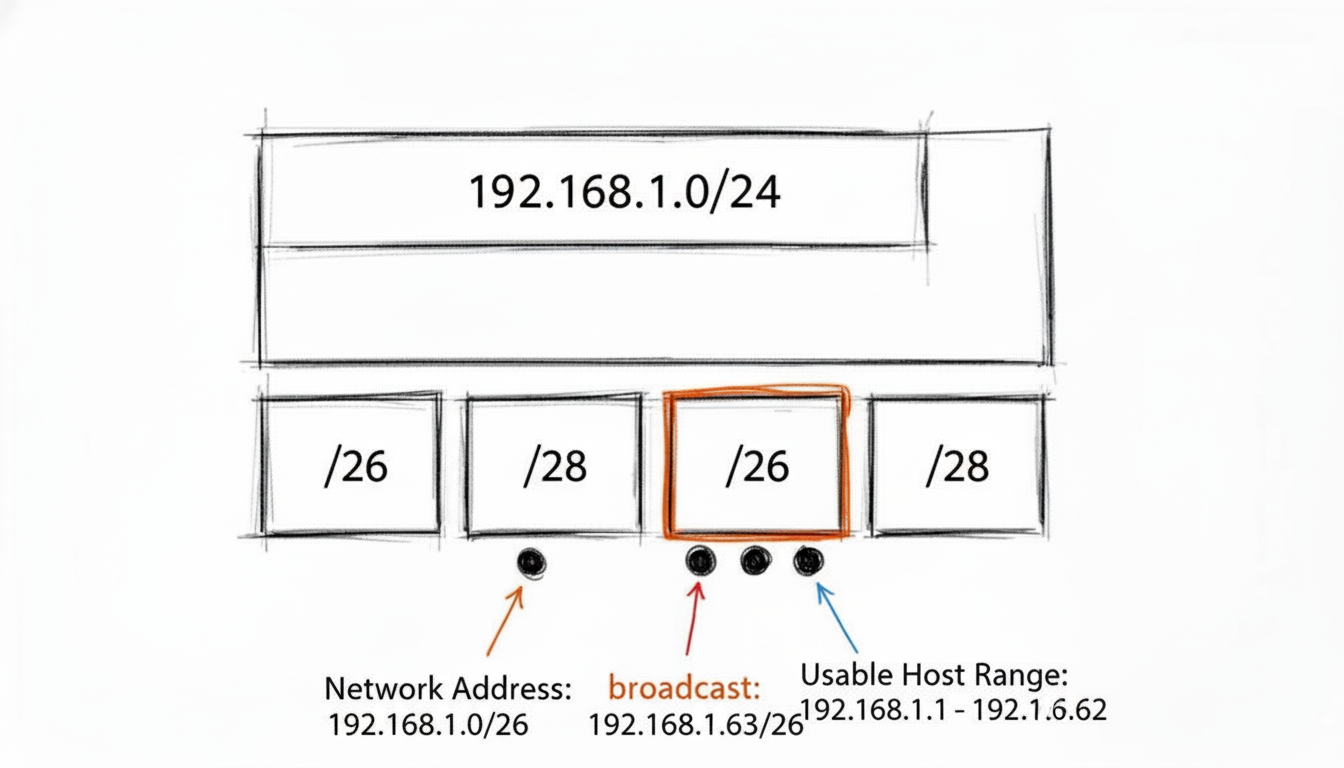 A visual representation of subnetting, showing how a /24 network can be divided into smaller subnets, defining network, broadcast, and assignable host addresses.
Sample Question
Difficulty: Medium
Question: A network administrator needs to create several subnets from the 192.168.10.0/24 network block. The new subnets must support at least 25 hosts each. Which of the following IP addresses is a valid, assignable host address on the fourth usable subnet?
A. 192.168.10.64 B. 192.168.10.95 C. 192.168.10.97 D. 192.168.10.127
Answer: C. 192.168.10.97
Strategic Breakdown
Analysis: The first step is to determine the required subnet mask based on the host requirement. To support at least 25 hosts, we need to find the smallest power of 2 that accommodates 25 plus the network and broadcast addresses (25+2 = 27 needed). The smallest power of 2 greater than or equal to 27 is 2^5 = 32. This means we need 5 host bits. In an IPv4 address (32 bits), this leaves 32 - 5 = 27 bits for the network portion, resulting in a /27 subnet mask (255.255.255.224).
The block size (or "magic number") for a /27 subnet is 32 (256 - 224 = 32). This means our network addresses will increment by 32. Let's list the usable subnets, starting from 192.168.10.0:
- Subnet 1 (1st usable): 192.168.10.0/27 (Network Addr), Hosts .1-.30, Broadcast .31
- Subnet 2 (2nd usable): 192.168.10.32/27 (Network Addr), Hosts .33-.62, Broadcast .63
- Subnet 3 (3rd usable): 192.168.10.64/27 (Network Addr), Hosts .65-.94, Broadcast .95
- Subnet 4 (4th usable): 192.168.10.96/27 (Network Addr), Hosts .97-.126, Broadcast .127
The question asks for a valid, assignable host address on the fourth usable subnet. Based on our calculations, the fourth usable subnet is 192.168.10.96/27, and its assignable host range is 192.168.10.97 through 192.168.10.126.
Option C, 192.168.10.97, falls within this range and is therefore a valid assignable host address.
Key Insight: Always pay meticulous attention to the wording in subnetting questions. Distinguish between network addresses, broadcast addresses, and assignable host addresses. Also, be clear on whether the question refers to the Nth subnet overall or the Nth usable subnet, usually starting the count from the zero subnet.
Actionable Takeaways
- Master the "Magic Number" Method: For any given subnet mask, quickly determine the block size (e.g., for /27 or 255.255.255.224, it's 256 - 224 = 32). This number is the increment for network addresses and significantly speeds up calculations.
- Binary is Your Ultimate Tool: While shortcuts are invaluable, understanding the underlying binary math is foolproof. Practice converting between decimal and binary until it's second nature. Many CCNA sample test questions that seem complex become straightforward with strong binary skills. This is also crucial for understanding bitwise operations in other IT contexts.
- Create a CIDR Cheat Sheet: During your studies, create and memorize a table for common CIDR notations (e.g., /24 through /30), including the subnet mask, number of hosts, and block size. This builds mental muscle and quick recall for exam day.
Reflection Prompt: How does efficient subnetting benefit an organization from a security perspective? Think about how it applies to segmenting different departments or network zones in a large enterprise or within an AWS VPC.
3. VLAN Configuration and Trunking: Segmenting the Network for Efficiency and Security
Virtual Local Area Networks (VLANs) are a cornerstone of modern network design, enabling administrators to segment a single physical network into multiple logical broadcast domains. The CCNA exam heavily emphasizes your ability to correctly configure, verify, and troubleshoot VLANs and the trunks that carry their traffic between switches. These questions test your practical knowledge of crucial Layer 2 security, traffic management, and network scalability concepts.
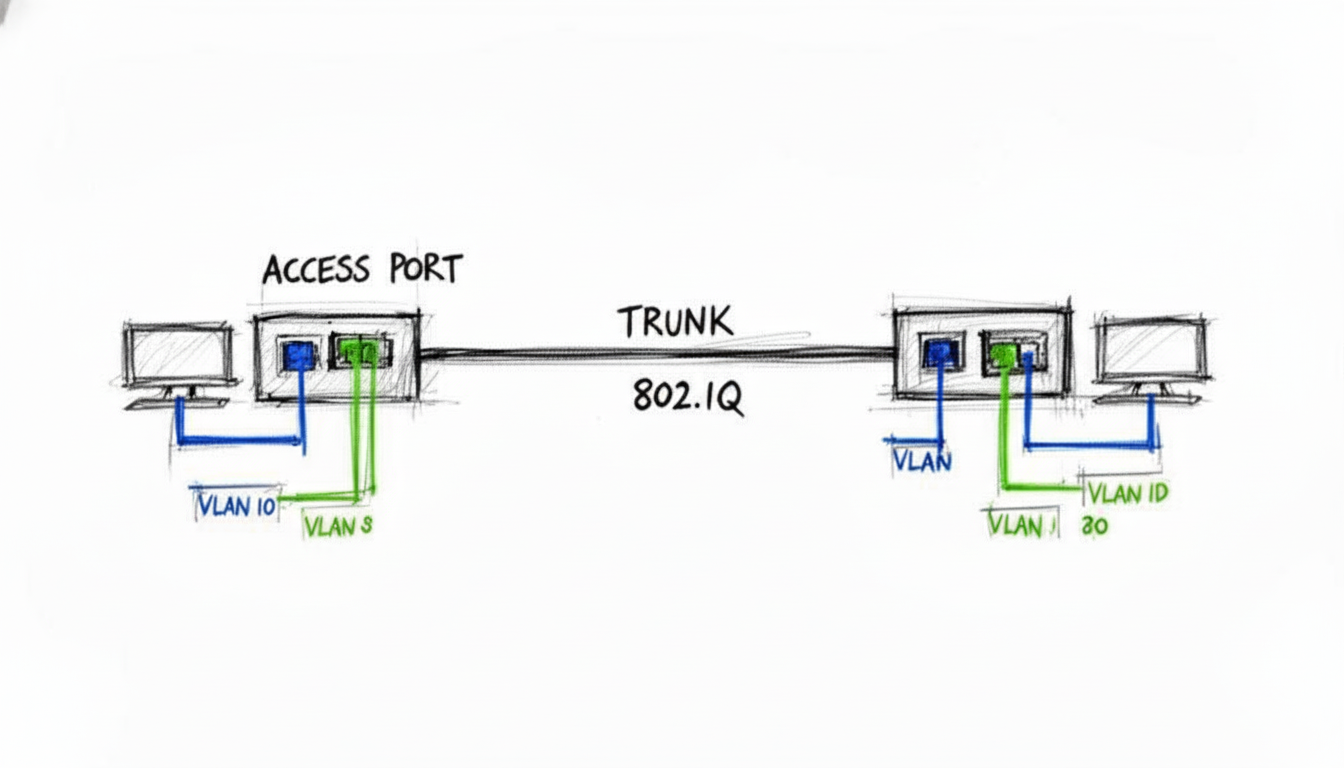 An illustration of two switches connected via an 802.1Q trunk, with various access ports assigned to different VLANs, demonstrating network segmentation.
Sample Question
Difficulty: Medium
Question: A network administrator has configured the connection between two switches, SW1 and SW2. On SW1, the connecting port is configured with the switchport mode trunk command. On SW2, the port is configured with switchport mode dynamic auto. Which operational mode will the link between the two switches adopt?
A. Access B. Trunk C. Static D. The link will not come up.
Answer: A. Access
Strategic Breakdown
Analysis: This question assesses your precise understanding of Dynamic Trunking Protocol (DTP) negotiation, which governs how Cisco switch ports establish trunk links.
Let's break down the DTP modes:
switchport mode trunk: The interface is permanently in trunking mode and actively attempts to convert the link to a trunk link. It does not send DTP frames to negotiate.switchport mode dynamic desirable: The interface actively attempts to convert the link to a trunk link by sending DTP frames.switchport mode dynamic auto: The interface is passive. It becomes a trunk link only if the neighboring interface actively initiates trunking (i.e., configured astrunkordynamic desirable).
In this scenario, SW1's port is switchport mode trunk. While it's a trunk, it doesn't actively negotiate using DTP frames. SW2's port is dynamic auto, which is passive and waits for an active DTP negotiation. Since SW1 is not sending active DTP frames, SW2's dynamic auto port never receives the signal to form a trunk. As a result, the negotiation fails, and the link defaults to an access port, typically operating in VLAN 1.
For a trunk to successfully form, common combinations include:
- Trunk / Trunk
- Trunk / Dynamic Desirable
- Dynamic Desirable / Dynamic Desirable
- Dynamic Desirable / Dynamic Auto
Key Insight: The combination of
switchport mode trunkon one end andswitchport mode dynamic autoon the other is a classic "gotcha" scenario in CCNA sample test questions. It’s designed to test your precise knowledge of DTP negotiation, highlighting that not all "trunk" modes actively signal for trunking.
Actionable Takeaways
- Master the DTP Negotiation Matrix: Create a quick reference guide for the DTP negotiation outcomes for all combinations of Trunk, Dynamic Desirable, and Dynamic Auto. Know exactly which combinations result in a trunk link versus an access link.
- Practice Hands-On Configuration: Utilize a network simulator like Cisco Packet Tracer or GNS3 to configure switch interfaces with different DTP modes. Observe the operational results using verification commands such as
show interfaces [interface-id] switchportandshow interfaces trunk. This hands-on practice builds essential muscle memory and reinforces theoretical concepts. - Understand Core Trunking Concepts: Go beyond DTP. Solidify your knowledge of the 802.1Q tagging process, the role of the native VLAN (and potential security risks), and how to manage allowed VLAN lists on trunk ports. For a deeper understanding of advanced Layer 2 functionalities, especially when implementing network segmentation in complex environments, explore the capabilities of a managed Ethernet switch.
Reflection Prompt: How do VLANs contribute to network security? Consider how they could be used to isolate sensitive data or control access for guest networks.
4. Routing Protocols and Path Selection: Navigating Complex Networks
A core competency for any network professional, from a CCNA-certified engineer to a PMP managing an IT project, is understanding how routers make intelligent decisions to forward traffic. The CCNA exam heavily scrutinizes your knowledge of dynamic routing protocols like OSPF (Open Shortest Path First) and EIGRP (Enhanced Interior Gateway Routing Protocol). The focus is on how these protocols build and maintain routing tables, and critically, how they select the "best" path to a destination. Questions will test your grasp of Administrative Distance (AD) and protocol-specific metrics, which are fundamental to robust network design and troubleshooting.
Sample Question
Difficulty: Medium
Question: A router learns about the same destination network 192.168.10.0/24 from two different routing protocols. It learns one route via OSPF with a metric (cost) of 20, and another route via EIGRP (internal) with a composite metric of 28160. Which route will the router install in its routing table?
A. The OSPF route because it has a lower metric. B. The EIGRP route because it has a lower Administrative Distance. C. Both routes will be installed for load balancing. D. The router will prefer the OSPF route because it is an open standard.
Answer: B. The EIGRP route because it has a lower Administrative Distance.
Strategic Breakdown
Analysis: This question presents a classic routing decision scenario. When a router learns multiple paths to the same destination from different routing protocols, its first and most important criterion for selecting the best route is Administrative Distance (AD). The metric is only used to compare routes learned from the same routing protocol.
Cisco's default AD values are crucial here:
- EIGRP (internal) has an AD of 90.
- OSPF has an AD of 110.
Since a lower AD value indicates a more trustworthy source, the router will prioritize the EIGRP route (AD 90) over the OSPF route (AD 110). This decision is made regardless of the metric values of each protocol. The EIGRP route will be installed in the routing table, and the OSPF route will be stored as a backup or discarded, depending on the specific router configuration and protocol.
Key Insight: Always remember the hierarchy of routing decisions: Administrative Distance (AD) is the primary tie-breaker between different routing protocols. The metric is the secondary tie-breaker, used within a single routing protocol to find the best path.
Actionable Takeaways
- Memorize Default Administrative Distances: Create a flashcard or a dedicated table for the default ADs of common routing protocols and sources (e.g., Directly Connected: 0, Static Route: 1, EIGRP: 90, OSPF: 110, RIP: 120, External EIGRP: 170). These values are essential for many CCNA sample test questions and real-world network operations.
- Understand Metric Nuances: Know how different protocols calculate their metrics. OSPF uses a 'cost' based primarily on bandwidth, while EIGRP uses a more complex composite metric that, by default, considers bandwidth and delay. This distinction is vital for accurate network design and troubleshooting.
- Practice with Simulators and Labs: Use tools like Cisco Packet Tracer or GNS3 to build small networks configured with multiple routing protocols. Observe how routing tables are populated and how path selection occurs using
show ip routecommands. This hands-on practice will solidify your understanding of how path selection works in a real-world context.
Mastering how routers select paths is fundamental to building, managing, and troubleshooting scalable and resilient networks. For a deeper dive into routing logic, check out our guide on routing traffic and flow control.
Reflection Prompt: Beyond just the lowest AD, what other factors might an administrator consider when choosing which routing protocol to implement in a large enterprise network?
5. Access Control Lists (ACLs) and Packet Filtering: Your Network's Security Guard
Access Control Lists (ACLs) are a fundamental tool for network security, acting as configurable filters to control which traffic is allowed or denied access to specific parts of a network. CCNA exam questions on ACLs test your ability to read, write, and apply these rules correctly. You must understand the sequential logic of packet filtering, the critical difference between standard and extended ACLs, and the paramount importance of rule order and placement on an interface. Mastery of ACLs is a cornerstone of network security.
Sample Question
Difficulty: Medium
Question: A network administrator has configured the following extended ACL on a router's Gi0/1 interface, which connects to the server subnet 192.168.10.0/24. The ACL is applied in the inbound direction.
access-list 101 permit tcp any host 192.168.10.50 eq 80
access-list 101 deny ip any 192.168.10.0 0.0.0.255
A user on the 10.1.1.0/24 network attempts to establish an FTP connection (port 21) to the server at 192.168.10.50. What will be the result?
A. The connection will be permitted by the first line of the ACL. B. The connection will be denied by the second line of the ACL. C. The connection will be permitted because there is no specific rule to deny FTP. D. The connection will be denied by the implicit deny at the end of the ACL.
Answer: B. The connection will be denied by the second line of the ACL.
Strategic Breakdown
Analysis: This question requires you to meticulously trace a packet's journey through the ACL rules, which are processed sequentially from top to bottom.
- Rule 1 Evaluation: The FTP packet, destined for 192.168.10.50 on port 21, first encounters
access-list 101 permit tcp any host 192.168.10.50 eq 80. This rule specifically permits TCP traffic destined for port 80 (HTTP) on the server. Since the user's traffic is for port 21 (FTP), it does not match this first line. - Rule 2 Evaluation: The packet then moves to the next rule:
access-list 101 deny ip any 192.168.10.0 0.0.0.255. This is a broader rule that explicitly denies all IP traffic (ip any) from any source to any destination within the 192.168.10.0/24 subnet. Since the target server's IP address (192.168.10.50) falls squarely within this range, the FTP packet matches this second rule and is explicitly denied.
The "implicit deny any any" rule, which is invisibly present at the very end of every ACL, is never reached in this scenario because an explicit match (and denial) was found earlier in the list.
Key Insight: ACL processing operates on the "first-match" principle. As soon as a packet matches a rule (permit or deny), processing stops for that packet, and no subsequent rules in the ACL are evaluated. This emphasizes the critical importance of rule order.
Actionable Takeaways
- Master Wildcard Masks: Understand that a wildcard mask bit of
0means the corresponding address bit must match, and a1means it can be anything. This is the inverse of a subnet mask and is a frequent point of confusion in CCNA sample test questions. - Trace Packets Step-by-Step: When analyzing an ACL, always read and interpret it from top to bottom, simulating how a router processes incoming or outgoing packets. Check each rule sequentially to see if the packet matches.
- Always Remember the Implicit Deny: Every ACL, by default, has an invisible
deny ip any anystatement at its end. If you only havepermitstatements, all traffic not explicitly permitted will be dropped. You must explicitly permit the traffic you want to allow. A similar logic applies to security groups and Network Access Control Lists (NACLs) in cloud environments like AWS and Azure; you can explore this further in our guide on Security Groups and Network ACLs.
Reflection Prompt: Imagine you need to allow only HTTPS traffic (port 443) to the same server, but deny all other traffic. How would you structure your ACL rules, and in what order?
6. NAT (Network Address Translation) Configuration and Operation: Extending IPv4 Reach
Network Address Translation (NAT) is a critical topic on the CCNA exam because it's the primary method used to conserve increasingly scarce IPv4 addresses and to secure internal private networks. Questions will test your ability to differentiate between the various NAT types (static, dynamic, PAT), understand the four address terminologies (inside local, inside global, outside local, outside global), and correctly configure the technology on a Cisco router. Mastery of NAT is essential for connecting a private network to the internet and for various network design scenarios.
Sample Question
Difficulty: Medium
Question: A network administrator is configuring a Cisco router to allow all internal hosts on the 192.168.10.0/24 network to access the internet using a single public IP address, 203.0.113.50, assigned to the GigabitEthernet0/0 interface. Which set of commands correctly configures PAT (Port Address Translation) for this scenario?
A.
ip nat inside source static 192.168.10.10 203.0.113.50
interface GigabitEthernet0/1
ip nat inside
interface GigabitEthernet0/0
ip nat outside
B.
access-list 1 permit 192.168.10.0 0.0.0.255
ip nat inside source list 1 interface GigabitEthernet0/0 overload
interface GigabitEthernet0/1
ip nat inside
interface GigabitEthernet0/0
ip nat outside
C.
ip nat pool PUBLIC_POOL 203.0.113.50 203.0.113.50 netmask 255.255.255.0
access-list 1 permit 192.168.10.0 0.0.0.255
ip nat inside source list 1 pool PUBLIC_POOL
interface GigabitEthernet0/1
ip nat inside
D.
access-list 1 permit 192.168.10.0 0.0.0.255
ip nat outside source list 1 interface GigabitEthernet0/0 overload
interface GigabitEthernet0/1
ip nat outside
interface GigabitEthernet0/0
ip nat inside
Answer: B
Strategic Breakdown
Analysis: The objective is to translate many internal (private) IP addresses to a single public IP address, which is the exact definition and primary use case for Port Address Translation (PAT), often referred to as NAT Overload. Let's analyze why option B is the correct configuration:
- ACL for Interesting Traffic: An Access Control List (ACL) is required to identify the "interesting" traffic—the internal private IP addresses that need to be translated.
access-list 1 permit 192.168.10.0 0.0.0.255correctly defines the entire 192.168.10.0/24 subnet as traffic to be translated. - PAT Command: The command
ip nat inside source list 1 interface GigabitEthernet0/0 overloadlinks this ACL (list 1) to the NAT process. It specifies that traffic matching the ACL should be translated to the IP address of the router's outside interface (GigabitEthernet0/0). The crucialoverloadkeyword enables PAT, allowing many-to-one translation by using different port numbers. - Interface Designation: Finally, the
ip nat insideandip nat outsidecommands are correctly applied to the internal (GigabitEthernet0/1) and external (GigabitEthernet0/0) interfaces, respectively, identifying the direction of traffic flow for NAT.
Option A configures static NAT, which is one-to-one and unsuitable for this many-to-one scenario. Option C attempts to use a NAT pool but lacks the overload keyword and the ip nat outside interface command. Option D incorrectly applies ip nat outside to the internal interface and ip nat inside to the external interface, reversing the logic.
Key Insight: The
overloadkeyword is the crucial component for enabling PAT (many-to-one translation). Without it, the configuration would be for dynamic NAT (many-to-many), which would quickly exhaust the single available public IP address and fail to meet the requirement. Recognizing the many-to-one requirement in the question immediately points you to the solution containingoverload.
Actionable Takeaways
- Master the Four Address Types: Be able to instantly identify and differentiate between inside local, inside global, outside local, and outside global addresses in any scenario. This terminology is foundational to understanding how NAT operations work.
- Differentiate NAT vs. PAT Use Cases: Understand when to use each type:
- Static NAT: One-to-one mapping, often used for internal servers that need a consistent public IP (e.g., a public web server).
- Dynamic NAT: Many-to-many mapping from a pool of public IPs, useful when you have multiple public IPs but still need private-to-public mapping.
- PAT (NAT Overload): Many-to-one mapping, the most common scenario for allowing many internal devices to access the internet through a single public IP address.
- Practice Verification Commands: In a lab or simulator, get comfortable with
show ip nat translationsandshow ip nat statistics. These are your primary tools for verifying and troubleshooting NAT configurations, and you will undoubtedly encounter questions about their output in CCNA sample test questions.
Reflection Prompt: How does NAT contribute to network security? Are there any security drawbacks to using PAT? Think about similar concepts like NAT Gateways in AWS or Azure Virtual Network NAT.
7. Spanning Tree Protocol (STP) and Loop Prevention: Ensuring Network Stability
Spanning Tree Protocol (STP) is a critical Layer 2 protocol designed to prevent switching loops in redundant network topologies. The CCNA exam requires a deep understanding of how STP operates, including its election processes, port roles (root port, designated port, blocked port), and port states (listening, learning, forwarding, blocking). Questions will test your ability to predict which switch becomes the root bridge, determine the role of each port, and understand how loops are logically blocked to ensure a stable and efficient network.
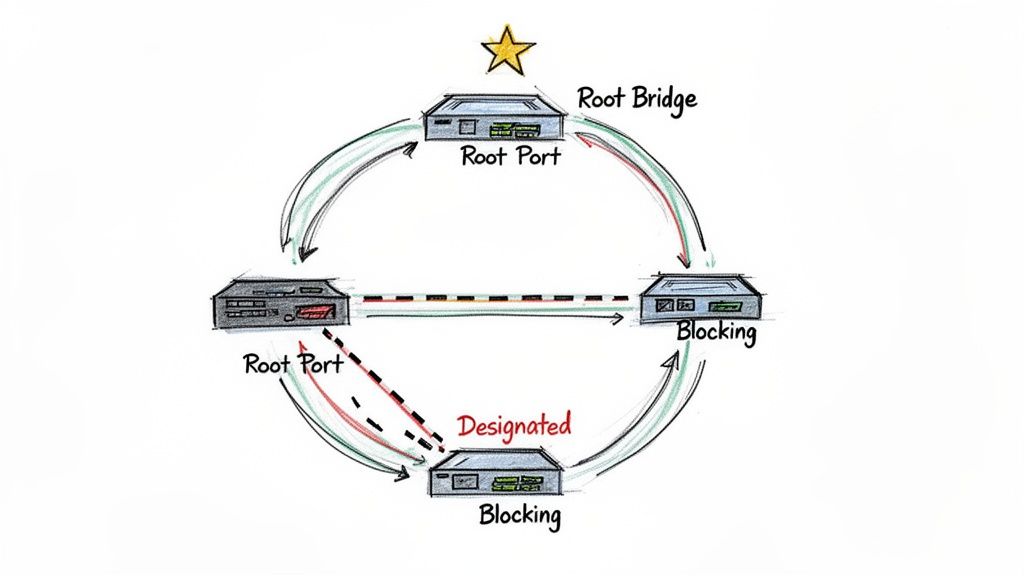 A visual explanation of STP, highlighting the Root Bridge, Root Ports, and a Blocking Port, crucial elements in preventing network loops.
Sample Question
Difficulty: Medium
Question: In an STP topology, three switches are connected. Switch A has a priority of 32768 and a MAC address of 0000.AAAA.AAAA. Switch B has a priority of 28672 and a MAC address of 0000.BBBB.BBBB. Switch C has a priority of 32768 and a MAC address of 0000.CCCC.CCCC. Which switch will be elected as the root bridge?
A. Switch A B. Switch B C. Switch C D. It cannot be determined from the information provided.
Answer: B. Switch B
Strategic Breakdown
Analysis: The election of the root bridge in STP is determined by the Bridge ID (BID). The BID is a unique identifier for each switch in the network, composed of a 2-byte priority value (defaulting to 32768) and the switch's 6-byte MAC address. The switch with the lowest BID becomes the root bridge. The comparison process strictly follows these steps:
- Lowest Priority Value First: The switch with the lowest priority value is preferred.
- Lowest MAC Address (Tie-breaker): If two or more switches have the same (lowest) priority value, the one with the numerically lowest MAC address is chosen.
Let's examine the BIDs:
- Switch A: Priority 32768, MAC 0000.AAAA.AAAA
- Switch B: Priority 28672, MAC 0000.BBBB.BBBB
- Switch C: Priority 32768, MAC 0000.CCCC.CCCC
In this scenario, Switch B has a priority of 28672, which is lower than the 32768 priority of Switches A and C. Since the priority value is the primary determining factor and Switch B's is unequivocally the lowest, it is immediately elected as the root bridge. There's no need to compare MAC addresses in this case.
Key Insight: The STP root bridge election is a two-step hierarchical process: first, lowest priority wins. If priorities are identical, then the lowest MAC address wins. A numerically lower priority value always takes precedence over a numerically lower MAC address.
Actionable Takeaways
- Memorize the Election Process: This fundamental concept is a frequent topic in CCNA sample test questions. Understand the order: 1) Lowest Priority, 2) Lowest MAC Address.
- Understand Port Roles and States: After the root bridge is elected, you must know how root ports (the best path to the root bridge on non-root switches), designated ports (the best path segment to the root bridge), and blocked ports (preventing loops) are chosen. Also, be familiar with the various port states (Blocking, Listening, Learning, Forwarding, Disabled) and what happens in each.
- Practice with Topology Diagrams: Use network diagrams to simulate and trace the STP election process. Calculate the BID for each switch, identify the root bridge, and then determine the role and state of each port in the topology. This hands-on practice solidifies the theoretical understanding.
A solid grasp of STP is essential for building stable and resilient Layer 2 networks, making it a heavily tested area on the CCNA exam. It also underpins broader ITIL principles of service operation and problem management by ensuring network availability. For more hands-on scenarios, explore our Switching Concepts and Configuration Practice Set.
Reflection Prompt: How can an administrator influence the root bridge election process, and why might they want to do so in a production network?
8. DHCP Configuration and IP Address Assignment: Automating Network Management
The Dynamic Host Configuration Protocol (DHCP) automates the assignment of IP addresses, subnet masks, default gateways, and DNS servers to network devices. This automation makes network administration scalable and efficient, reducing manual configuration errors. CCNA questions on DHCP test your ability to configure a router to act as a DHCP server, troubleshoot clients that fail to obtain an IP address, and understand the underlying DORA (Discover, Offer, Request, Acknowledge) process. This is a critical skill for managing any modern network, from a small office to a large enterprise.
Sample Question
Difficulty: Medium
Question: A network administrator configures a Cisco router to act as a DHCP server for the 192.168.10.0/24 subnet. The administrator needs to prevent the router's own interface (192.168.10.1) and a critical server (192.168.10.50) from being assigned to other devices. Which command should be used to achieve this?
A. ip dhcp pool LAN_POOL
B. network 192.168.10.0 255.255.255.0
C. ip dhcp excluded-address 192.168.10.1 192.168.10.50
D. ip dhcp excluded-address 192.168.10.1 followed by ip dhcp excluded-address 192.168.10.50
Answer: D. ip dhcp excluded-address 192.168.10.1 followed by ip dhcp excluded-address 192.168.10.50
Strategic Breakdown
Analysis: This question assesses your knowledge of a fundamental DHCP configuration task: reserving specific IP addresses for static assignments, thereby preventing the DHCP server from handing them out dynamically. The command used for this purpose is ip dhcp excluded-address.
Let's evaluate the options:
- A.
ip dhcp pool LAN_POOL: This command initiates the creation of a named DHCP pool, but it doesn't exclude any addresses. - B.
network 192.168.10.0 255.255.255.0: This command is used within the DHCP pool configuration to define the network address and subnet mask for which the DHCP server will assign addresses. It's essential but doesn't handle exclusions. - C.
ip dhcp excluded-address 192.168.10.1 192.168.10.50: This command is syntactically incorrect for excluding two non-contiguous single IP addresses. Theip dhcp excluded-addresscommand expects either a single IP address or a contiguous range (e.g.,ip dhcp excluded-address 192.168.10.1 192.168.10.10for addresses .1 through .10). - D.
ip dhcp excluded-address 192.168.10.1followed byip dhcp excluded-address 192.168.10.50: This is the correct method. To exclude two separate, non-contiguous IP addresses, you must issue theip dhcp excluded-addresscommand twice, once for each specific address you want to reserve.
Key Insight: The CCNA exam frequently tests not just what command to use, but the precise syntax and its correct application. Knowing that
ip dhcp excluded-addresscan define a contiguous range but requires separate commands for non-contiguous IPs is a crucial detail for both the exam and real-world configurations.
Actionable Takeaways
- Master the DORA Process: Understand the four steps (Discover, Offer, Request, Acknowledge) of how a client obtains an IP address. This knowledge is essential for troubleshooting DHCP client-server communication issues.
- Practice Full Configuration: Use a simulator or lab environment to practice configuring a complete DHCP pool. This includes defining the network, default router (gateway), DNS server, and excluded addresses. This is a common hands-on component of CCNA sample test questions.
- Understand DHCP Relay Agents: Know when and why a DHCP relay agent (or the
ip helper-addresscommand on a router interface) is needed. This is required when DHCP clients are on a different broadcast domain (subnet) than the DHCP server, as DHCP discovery messages are broadcast.
Effectively managing DHCP is a day-to-day task for network engineers, and mastering its configuration and troubleshooting is vital for both the exam and the real world. For hands-on practice, check out our DHCP Configuration and Troubleshooting Lab Scenarios.
Reflection Prompt: Beyond standard client IP assignment, how might DHCP be used to provide additional configuration information to network devices, and what are some best practices for managing DHCP in a large network environment?
8-Topic CCNA Sample Questions Comparison: A Strategic Overview
| Topic | Implementation Complexity | Resource Requirements | Expected Outcomes | Ideal Use Cases | Key Advantages |
|---|---|---|---|---|---|
| OSI Model Layer Identification Question | Low — theory/memorization | Minimal — study guides, diagrams | Clear mapping of protocols/devices to layers | Foundational study, basic troubleshooting, exam prep | Builds conceptual framework; frequent in exams |
| Subnetting and IP Address Calculation Question | Medium — binary/math skills | Subnet tables, practice problems, calculator/simulators | Accurate subnetting, address ranges, network planning | IP addressing design, DHCP planning, network segmentation | Highly practical; improves logical and calculation skills |
| VLAN Configuration and Trunking Question | Medium–High — config + concepts | Switch hardware or simulators, VLAN docs | Proper VLANs, trunking, inter-VLAN connectivity | Network segmentation, multi-tenant setups, security zones | Enables segmentation and security; hands-on configuration practice |
| Routing Protocols and Path Selection Question | High — protocol behaviors and metrics | Routers/simulators, protocol documentation, topology labs | Correct protocol selection, metric analysis, route troubleshooting | Large or multi-area networks, WAN/DMZ design, scalability planning | Essential for infrastructure design; improves routing troubleshooting |
| ACL and Packet Filtering Question | Medium — logical order and syntax | Lab gear/simulators, ACL references, test traffic | Correct ACL implementation and traffic filtering | Network security, access control, perimeter protection | Direct security impact; practical, immediately useful skill |
| NAT Configuration and Operation Question | Medium — translation types and mapping | Router/simulators, NAT commands, troubleshooting tools | Working NAT/PAT configurations, address translation verification | Internet access for private networks, SMB deployments, port forwarding | Conserves public IPs; critical for internet connectivity |
| STP and Loop Prevention Question | Medium–High — elections and state transitions | Switch labs/simulators, topology diagrams, timing tools | Loop-free topology, root bridge determination, stable convergence | Redundant switched networks, campus and data center designs | Prevents broadcast storms; ensures network stability |
| DHCP Configuration and IP Address Assignment Question | Low–Medium — protocol and relay concepts | DHCP server/client labs, routers, DHCP logs | Automated IP assignment, scope configuration, relay setup | Dynamic host environments, multi-subnet deployments | Automates IP management; widely applicable in operations |
From Practice to Performance: Your Next Steps to CCNA Success
You've just navigated through a comprehensive set of CCNA sample test questions, moving far beyond simple memorization to a strategic understanding of core networking concepts. We've dissected everything from fundamental OSI model concepts and complex subnetting calculations to the practical application of VLANs, routing protocols, and robust security configurations with ACLs. This journey wasn't just about finding the right answers; it was about understanding the why behind them and building a repeatable problem-solving methodology.
The core lesson from these examples is clear: the CCNA exam is a rigorous test of practical application, not just theoretical recall. Each question type, whether it’s a multiple-choice scenario, a drag-and-drop, or a command-line simulation, is meticulously designed to evaluate your ability to think and act like a network administrator. It challenges you to troubleshoot, configure, and verify network operations under pressure, reflecting real-world demands.
Synthesizing Your Knowledge: From Theory to Action
Mastering the CCNA requires a significant strategic shift in your study habits. It's time to transition from passively reading material to actively engaging with it. This means internalizing the step-by-step logic used to solve subnetting problems, visualizing how data packets flow through an ACL, and understanding the decision-making process of routing protocols like OSPF. Connect these concepts to broader IT principles, such as those found in AWS or Azure certifications, where network segmentation and routing are equally critical.
The real value of working through CCNA sample test questions lies in identifying recurring patterns and developing a repeatable, systematic problem-solving methodology. For instance, when you encounter an ACL question, your immediate first step should always be to identify the direction (in or out) and the specific interface. For a routing question, your mental checklist should instantly involve analyzing administrative distance and metric values. This structured approach helps you maintain composure and accuracy under exam conditions.
Key Takeaways for Exam Domination
As you refine your preparation, focus on these critical strategic takeaways that we've highlighted throughout the article:
- Deconstruct the Question Meticulously: Before you even glance at the answer choices, take the time to thoroughly break down the question itself. Identify the core technology being tested (e.g., NAT, STP), the specific goal (e.g., permit web traffic, prevent a switching loop), and any constraints or key details provided in the prompt or topology.
- Leverage the Process of Elimination: In multiple-choice questions, eliminating obviously incorrect answers is just as powerful a tactic as knowing the correct one. This significantly improves your odds and helps you focus your analytical energy on the most plausible remaining options.
- Embrace the Cisco IOS Command Line: The CCNA is inherently a hands-on certification. You must be comfortable navigating and interacting with the Cisco IOS command line. Practice your
showcommands relentlessly, as they are your primary tools for verification and troubleshooting, both in exam simulations and in real-world networking scenarios. - Solidify Your Foundations: Complex topics are invariably built upon simple, fundamental foundations. To truly elevate your performance, reinforce your basic knowledge by revisiting core concepts like understanding LAN and WAN networks. A solid grasp of these basics makes advanced configurations and troubleshooting much easier to comprehend and execute.
Strategic Insight: Your goal isn't merely to practice more questions; it's to practice with purpose. After every practice session, dedicate time to thoroughly review not only what you got wrong but also what you got right. Analyze the thought process that led to correct answers so it becomes second nature on exam day.
Your Action Plan for Certification
Viewing these sample questions as a diagnostic tool is the vital first step. Now, it's time to build a structured plan to turn your identified weaknesses into undeniable strengths. Use the insights gained from this article to create a targeted, dynamic study schedule. If you struggled with subnetting, dedicate specific blocks of time to practicing calculations until they become effortless. If ACL logic was confusing, lab it out using a simulator until the in and out rules are crystal clear and you can predict packet flow with confidence.
This proactive, targeted approach transforms your study from a passive review into an active, goal-oriented campaign. By repeatedly applying the principles and strategies we've discussed, you are not just preparing to pass an exam; you are building the deep, functional knowledge that defines a competent and confident network professional. Your CCNA certification is within reach, and MindMesh Academy is here to help you get there.
Ready to move beyond individual questions and into a fully structured learning environment? MindMesh Academy offers comprehensive CCNA practice exams and guided study paths that simulate the real exam experience and target your specific knowledge gaps. Elevate your preparation and build the confidence you need to succeed with MindMesh Academy.
Ready to Get Certified?
Prepare with expert-curated study guides, practice exams, and spaced repetition flashcards at MindMesh Academy:

Written by
Alvin Varughese
Founder, MindMesh Academy
Alvin Varughese is the founder of MindMesh Academy and holds 15 professional certifications including AWS Solutions Architect Professional, Azure DevOps Engineer Expert, and ITIL 4. He's held senior engineering and architecture roles at Humana (Fortune 50) and GE Appliances. He built MindMesh Academy to share the study methods and first-principles approach that helped him pass each exam.