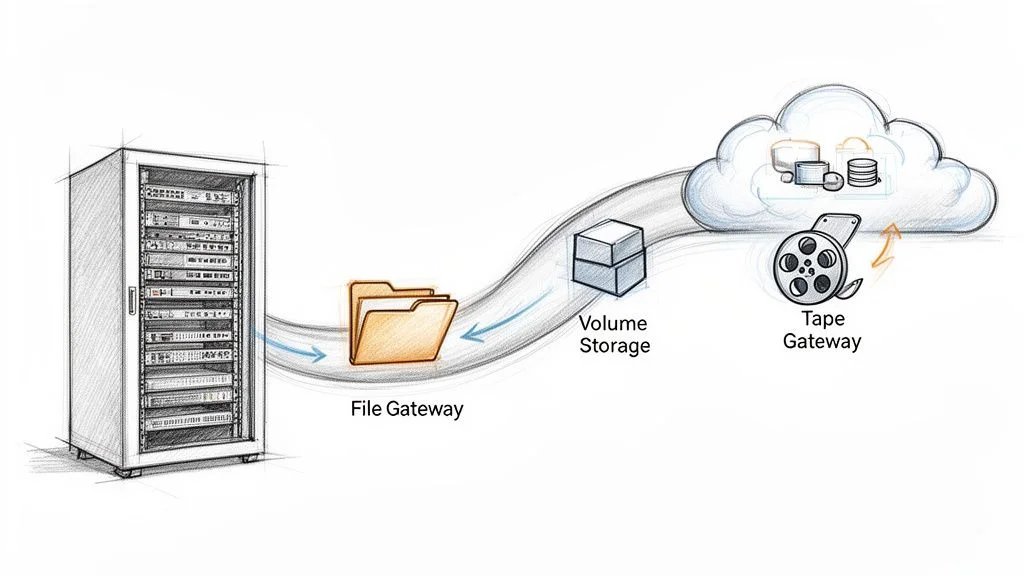
AWS Storage Gateway A Guide to Hybrid Cloud Storage
AWS Storage Gateway: Your Essential Bridge to Hybrid Cloud Storage
In today's dynamic IT landscape, connecting on-premises infrastructure with the vast capabilities of the cloud is not just an option—it's a necessity. For IT professionals aiming to optimize their organization's data strategy, services like AWS Storage Gateway offer a powerful solution. Think of it as a sophisticated data translator and logistics manager, seamlessly integrating your existing data center with the highly durable, scalable, and cost-effective storage services of Amazon Web Services (AWS). This guide from MindMesh Academy will explore how AWS Storage Gateway simplifies hybrid cloud deployments, making cloud storage feel like a natural extension of your local environment.
Bridging Your Data Center to the Cloud: A Foundation for Hybrid IT
Most organizations, especially established enterprises, operate with significant investments in on-premises data centers. Critical applications, databases, and workflows often reside locally, making a full "lift and shift" to the cloud a complex, if not impossible, undertaking. This is precisely where the AWS Storage Gateway shines. It acknowledges and respects your existing IT footprint while providing a secure, efficient pathway to leverage the benefits of cloud storage.
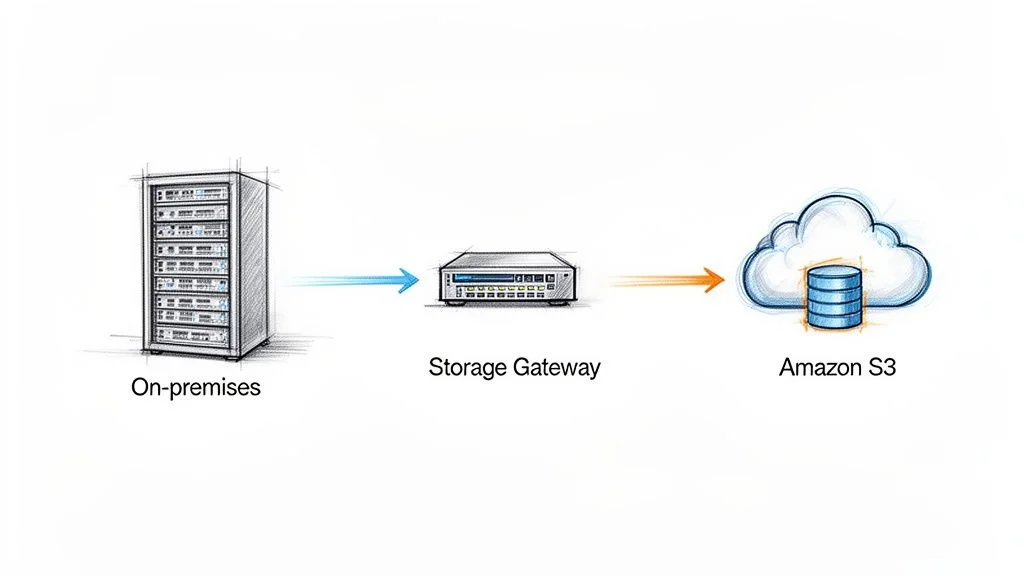 Illustration: AWS Storage Gateway acting as a seamless conduit for data transfer between on-premises infrastructure and Amazon S3 in the cloud.
You deploy the gateway directly within your own environment, typically as a virtual machine (VM) on a hypervisor like VMware ESXi or Microsoft Hyper-V, or as a dedicated hardware appliance provided by AWS. Once deployed, your local applications interact with it using standard storage protocols they already understand, such as NFS, SMB, and iSCSI. To your applications, the gateway simply appears as another local file share or storage volume. Behind the scenes, the gateway intelligently optimizes, caches, and securely transfers that data to AWS.
Why Is This Integration So Powerful for IT Professionals?
This hybrid model unlocks a wealth of possibilities without forcing substantial investments in expensive on-premises storage arrays. It provides a pragmatic approach to tackling common business challenges, a skill highly valued in certifications like the AWS Solutions Architect Associate or CompTIA Cloud+.
- Cost-Effective Backup and Archiving: Eliminate the complexities and high costs of traditional tape backups. Data can be seamlessly offloaded to incredibly durable and low-cost AWS storage tiers like Amazon S3 Glacier, aligning with best practices for data lifecycle management.
- Enhanced Disaster Recovery (DR): Establish robust, automated off-site copies of critical data in AWS for business continuity. This significantly simplifies DR planning, a core domain in certifications such as (ISC)² CISSP or ITIL 4 Foundation, and reduces Recovery Time Objectives (RTO) and Recovery Point Objectives (RPO).
- Cloud Data Processing and Analytics: Provide your on-premises tools with low-latency access to massive datasets stored in AWS. This is ideal for running analytics, machine learning (ML) jobs, or bursting computational workloads to the cloud while keeping source data accessible.
The escalating demand for such flexible, hybrid solutions underscores why AWS continuously expands the service's reach. For instance, the expansion of AWS Storage Gateway to new regions like Hyderabad and Melbourne in March 2023 was a significant development, enabling more companies globally to build resilient hybrid cloud strategies.
The fundamental value proposition of AWS Storage Gateway is its ability to present cloud storage as if it were local, on-premises storage. It effectively removes the technological friction, allowing legacy applications—which were never designed for cloud-native interactions—to seamlessly leverage the benefits of AWS.
To truly master this service, particularly for AWS certification exams, you need to grasp the distinct "flavors" or types of gateways available. Each type is meticulously designed for a specific purpose, ensuring you have the right tool for your hybrid architecture.
Quick Guide to AWS Storage Gateway Types
Here’s a concise overview of the three primary gateway types, crucial for making informed architectural decisions and acing your exams.
| Gateway Type | Primary Use Case | Connects To |
|---|---|---|
| File Gateway | Storing files as objects in the cloud using standard file protocols (NFS/SMB). | Amazon S3 |
| Volume Gateway | Presenting cloud-backed iSCSI block storage volumes to on-premises applications. | Amazon EBS (via Snapshots), Amazon S3 |
| Tape Gateway | Replacing physical tape libraries with a Virtual Tape Library (VTL) for backups. | Amazon S3, S3 Glacier Flexible Retrieval, S3 Glacier Deep Archive |
Each gateway type offers a unique integration point between your on-premises environment and AWS, enabling diverse hybrid cloud strategies. We'll delve deeper into each one in the following sections.
Choosing Your Gateway: File, Volume, or Tape – The Critical Decision
Selecting the correct AWS Storage Gateway type is arguably the most critical architectural decision when designing a hybrid cloud storage solution. Each of the three main types—File, Volume, and Tape—is a specialized instrument tailored for a distinct operational requirement. An incorrect choice can lead to suboptimal performance, unexpected costs, or a solution that simply fails to meet application needs.
Consider this decision like choosing the right specialized vehicle for a specific task. You wouldn't use a compact car to transport heavy construction materials, nor would you use a large truck for a quick urban commute. The principle is identical: you must align the gateway type with your data characteristics, application requirements, and overall business objectives. This discernment is a key skill tested in AWS certification exams.
Let's dissect each gateway type, providing clarity for both real-world system design and successful navigation of certification scenarios.
File Gateway: Your Familiar File Cabinet, Now Cloud-Backed
The File Gateway is often the most intuitive starting point for many organizations. It acts as a straightforward bridge, enabling your on-premises applications to store and retrieve files directly in Amazon S3 as if they were interacting with a local network share.
It achieves this by presenting standard network file shares using either Network File System (NFS) for Linux/Unix-based systems or Server Message Block (SMB) for Windows environments. From the perspective of your servers and applications, it operates just like a conventional file server, allowing seamless read and write operations. Behind the scenes, the File Gateway meticulously translates these file operations into S3 API calls, storing each file as an object within your designated S3 bucket.
This setup is an ideal fit for several key scenarios, commonly appearing in AWS Solutions Architect exam questions:
- Consolidating File Shares: A perfect solution for backing up application data, centralizing user home directories, or archiving log files to the immensely durable and scalable Amazon S3.
- Seamless Data Migration: Facilitates the migration of file-based workloads to the cloud with minimal disruption. S3 becomes the primary repository for your data, while the gateway’s local cache ensures frequently accessed files remain readily available on-premises for rapid access.
- Hybrid Workflows for Analytics/ML: Enables on-premises applications to process or work with datasets generated by cloud services (and stored in S3), or vice-versa, creating agile hybrid data pipelines.
Key Takeaway: The File Gateway functions as an intelligent, performant cache for your S3 data. It prioritizes on-site speed for frequently accessed files while ensuring the complete, robust dataset resides securely and cost-effectively in the cloud.
This type of hybrid integration is a fundamental concept for anyone pursuing AWS certifications. It demonstrates how to connect traditional IT infrastructure to AWS services like S3 for object storage, EBS for block storage, and Glacier for archiving, all while leveraging caching for optimized performance. The global cloud storage gateway market continues its significant growth, underscoring the strategic importance of these hybrid strategies for modern IT professionals.
Volume Gateway: A High-Performance, Cloud-Connected Hard Drive
While the File Gateway deals with files, the Volume Gateway specializes in block storage. It presents storage volumes to your on-premises applications using the iSCSI protocol. To your servers, these volumes appear and function identically to local hard drives or block devices. You can format them with familiar file systems (e.g., NTFS, ext4) and mount them as standard disk drives.
This makes it the preferred choice for applications requiring raw, block-level access to storage, such as enterprise databases (e.g., SQL Server, Oracle, SAP HANA) or other systems that depend on mounted drive letters for direct data access.
The Volume Gateway offers two distinct modes, a crucial distinction for AWS Certified SysOps Administrator and Solutions Architect exams:
-
Cached Volumes: In this mode, your entire primary dataset resides in Amazon S3. The gateway maintains a local cache of your most frequently accessed data on-premises, providing low-latency performance for active workloads. This approach masterfully balances cost efficiency (storing bulk data in S3) with performance (fast access to hot data), especially when only a subset of your data is actively used at any given time.
-
Stored Volumes: Here, the entire dataset is stored locally on-premises, delivering the absolute fastest possible access speeds. The gateway then operates in the background, asynchronously backing up this complete local dataset as Amazon EBS Snapshots in the cloud. This mode is paramount for disaster recovery, local data residency requirements, and scenarios where applications demand continuous, high-speed access to the full dataset on-site.
The choice between Cached and Stored modes hinges on your latency sensitivity, data residency requirements, and whether you want your primary data residing predominantly on-premises or in AWS.
Reflection Prompt: Consider an on-premises Oracle database. If low-latency access to the entire dataset is paramount, which Volume Gateway mode would you choose? If you want to leverage cloud scalability for the bulk of your data, but keep only the hot data local, which mode is better?
Tape Gateway: Modernizing Your Legacy Backup Infrastructure
Finally, the Tape Gateway is a highly specialized solution designed to assist organizations in transitioning away from physical tape backups without requiring a complete overhaul of their existing backup systems. Many enterprises still rely on established backup software solutions like Veeam, Veritas NetBackup, or Commvault that were initially designed to write data to physical tape libraries.
The Tape Gateway cleverly emulates a physical tape library, creating a Virtual Tape Library (VTL). Your existing backup software connects to the gateway precisely as it would to a traditional hardware tape library. When the software initiates a "write to tape" operation, the gateway intercepts this data, stores it as a virtual tape, and then uploads it securely to Amazon S3.
For long-term retention—a process often referred to as "ejecting tapes" in physical environments—the gateway automatically transitions these virtual tapes to extremely low-cost storage tiers such as S3 Glacier Flexible Retrieval or S3 Glacier Deep Archive. This provides a seamless, highly cost-effective, and automated path to decommission your physical tape infrastructure. You gain freedom from the operational burdens of managing physical tapes, mitigate risks associated with media failure, and eliminate the high costs of off-site vaulting services.
This service is a great example of how AWS enables organizations to modernize without rip-and-replace, a common theme in ITIL best practices for service transition.
File vs Volume vs Tape: A Detailed Comparison for Strategic Planning
Making the right gateway choice is critical for architectural success and for demonstrating your expertise in certification exams. The table below provides a comprehensive comparison, highlighting key differences in protocols, storage mechanisms, performance characteristics, and common use cases for each gateway type.
| Feature | File Gateway | Volume Gateway (Cached) | Volume Gateway (Stored) | Tape Gateway |
|---|---|---|---|---|
| Protocol | NFS (v3, v4.1), SMB (v2, v3) | iSCSI | iSCSI | iSCSI - Virtual Tape Library (VTL) |
| On-Premises View | Network File Share (e.g., NAS) | Block Device / Hard Drive (e.g., SAN volume) | Block Device / Hard Drive (e.g., SAN volume) | Physical Tape Library (VTL) |
| Cloud Storage | Amazon S3 (files as objects) | Amazon S3 (primary data store), EBS Snapshots (for backups) | EBS Snapshots (for backups) | S3, S3 Glacier Flexible Retrieval, S3 Glacier Deep Archive (for virtual tapes) |
| Primary Data Location | Amazon S3 | Amazon S3 | On-Premises | Amazon S3 and Glacier tiers |
| Local Storage Role | Cache for frequently accessed data, Upload Buffer | Cache for frequently accessed data, Upload Buffer | Full copy of the entire dataset, Upload Buffer | Cache for data being written before upload to S3, Upload Buffer |
| Capacity per Gateway | Petabytes (limited by S3) | 1 PB (up to 32 volumes, each up to 32 TiB) | 512 TiB (up to 32 volumes, each up to 16 TiB) | 1 PB (up to 1,500 virtual tapes concurrently) |
| Best For... | File-based applications, backups, data lakes, hybrid ML/analytics, file migration | Databases, ERPs, applications requiring block storage with a cloud-first data model | Low-latency access to entire datasets, disaster recovery, data residency adherence | Replacing physical tape libraries, integrating with legacy backup software |
| Example Use Case | Storing application logs, CAD files, or user home directories directly to S3. | Running an on-premises SQL Server database with primary data in S3 for scalability. | Hosting a high-performance local Oracle database with automatic cloud backups. | Using existing Veeam software to archive data to S3 Glacier instead of physical tapes. |
By meticulously reviewing this comparison, you can effectively map your specific application and infrastructure requirements to the gateway type that offers the optimal combination of protocols, performance characteristics, and cost efficiency for your hybrid cloud environment. This analytical approach is crucial for PMP certified professionals managing IT projects.
Real-World Use Cases for Hybrid Cloud Architecture: Data in Action
Understanding the theoretical capabilities of AWS Storage Gateway is one thing; witnessing its application in real-world scenarios brings its value into sharp focus. How does this service function within a business context? Let's trace the data flow and explore practical scenarios that highlight the critical role of Storage Gateway in building robust, modern IT infrastructure.
For any organization blending on-premises systems with cloud services, a Hybrid Cloud strategy is often considered the next evolutionary step in cloud computing. AWS Storage Gateway serves as a vital linchpin in this strategy, acting as the essential bridge that connects your data center to the extensive resources of AWS. This architectural pattern allows businesses to tap into cloud benefits (scalability, cost-efficiency, resilience) without having to abandon or completely re-engineer their existing hardware investments. Indeed, understanding the benefits of a hybrid cloud strategy is fundamental for modern IT.
This decision tree below provides an excellent starting point for determining which gateway type best aligns with your specific operational needs.
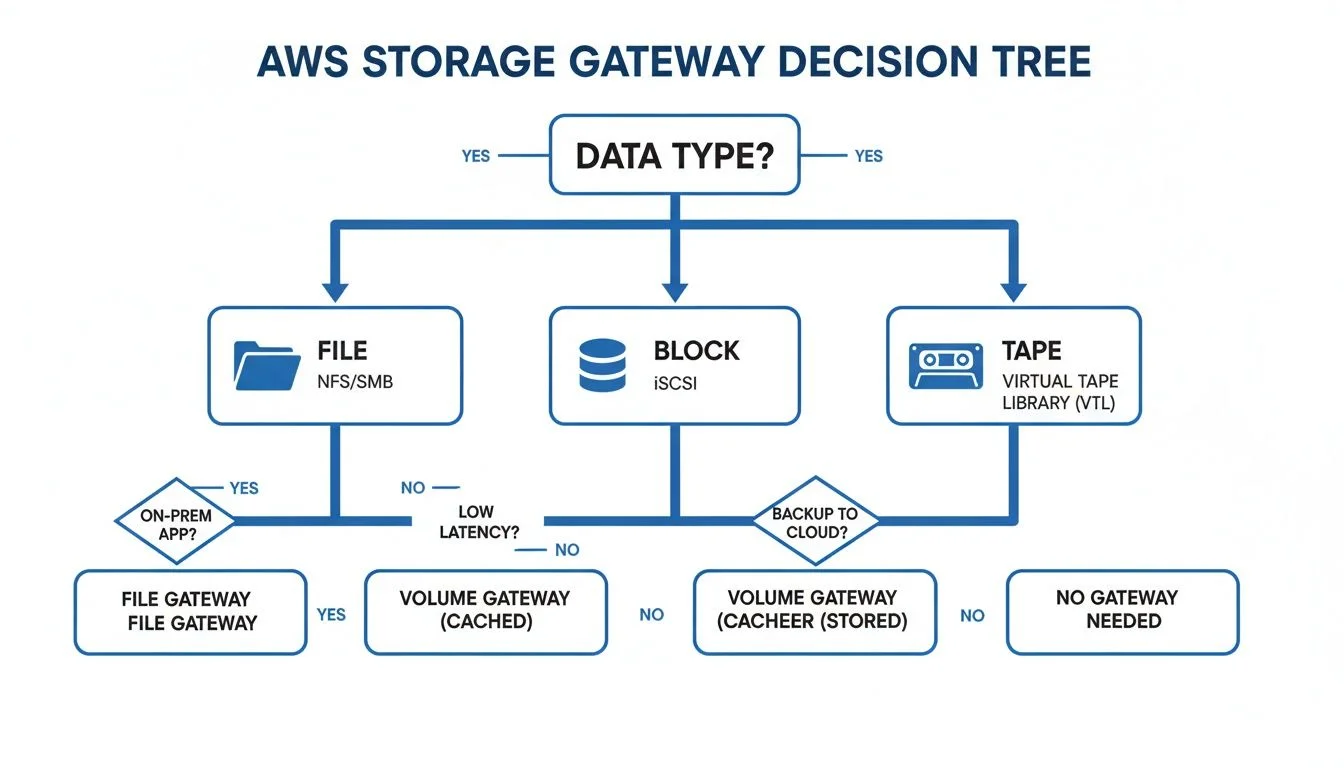 Illustration: A decision tree guiding the selection of the appropriate AWS Storage Gateway type based on specific business and technical requirements.
As this flowchart demonstrates, matching your data—whether it encompasses files, block storage, or backup tapes—to the correct gateway service is a logical and straightforward process.
Seamless Disaster Recovery and Backup for Business Continuity
Imagine a worst-case scenario: your on-premises application servers experience a catastrophic failure due to hardware malfunction or a local power grid outage. This is an IT professional's nightmare. However, if you've implemented a Volume Gateway in Stored Mode, your organization is prepared. Your entire dataset is already resident on-site for immediate, low-latency access, while simultaneously being asynchronously backed up as EBS Snapshots in the resilient AWS cloud.
In a disaster, you can swiftly launch new Amazon EC2 instances from those snapshots, restoring your applications in a different AWS Availability Zone or even a different region. This significantly reduces downtime and drastically improves your organization's Recovery Time Objective (RTO). This creates a powerful, automated disaster recovery plan, effectively eliminating single points of failure tied to a physical location. Such resilience is a cornerstone of effective business continuity planning, a key domain in certifications like PMI PMP and ITIL 4.
Low-Latency Access to Cloud-Archived Data
Consider a large media production company that archives petabytes of high-definition video files in Amazon S3 to manage storage costs efficiently. Their on-site video editors, however, require fast, responsive access to these files for daily production work and editing tasks. An AWS File Gateway provides the perfect solution in this scenario.
The gateway presents a standard SMB or NFS file share that the video editing software can access just like any local network drive. Its intelligent, built-in cache automatically keeps the most frequently or recently accessed video files on-site, ensuring editors experience the high-speed performance necessary for demanding creative workflows. This setup provides the perception of local speed and responsiveness while leveraging the nearly limitless, highly durable, and cost-effective storage capabilities of S3 on the backend.
Story from the Field: A Healthcare Provider's Journey to Modern Backups
A regional hospital system was grappling with an outdated, cumbersome physical tape backup system. The process was manual, prone to human error, and the escalating costs for off-site tape storage were becoming unsustainable. They urgently needed a modern backup solution that could seamlessly integrate with their existing backup software, which was rigidly configured for tape libraries.
By strategically deploying an AWS Tape Gateway, they established a Virtual Tape Library (VTL). Their legacy backup application connected to the gateway precisely as it did to the old physical hardware—requiring zero changes to the backup job configurations. Now, backups are written to virtual tapes, stored securely in Amazon S3. For long-term archival, these virtual tapes are automatically "ejected" and tiered to S3 Glacier Deep Archive, resulting in a dramatic reduction of over 75% in their storage costs. This single, targeted change eliminated manual tape handling, significantly cut operational overhead, and provided a far more reliable, scalable, and cost-effective archiving strategy, showcasing a powerful hybrid cloud transformation.
Cost-Effective Data Archiving and Lifecycle Management
The exponential growth of unstructured data across industries is a primary driver for organizations migrating storage workloads to the cloud. This global trend fuels demand for scalable object storage solutions, where Amazon S3 remains the industry leader, empowering businesses to minimize their on-site digital footprint and significantly reduce capital and operational expenditures.
Whether you're utilizing a File Gateway to automatically tier infrequently accessed files to S3 Intelligent-Tiering or deploying a Tape Gateway for long-term archival to S3 Glacier, the service offers an automated, policy-driven approach to managing the entire data lifecycle. This intelligent tiering ensures that data is always stored in the most cost-effective location based on its access patterns, translating directly into tangible savings on your AWS bill.
A High-Level Deployment Walkthrough for AWS Storage Gateway
Having explored the diverse capabilities of the various AWS Storage Gateways, let's now consider the practical steps involved in deploying one within your own environment. This section provides a high-level overview of the major milestones in a typical deployment, offering a clear roadmap without getting entangled in granular command-line details.
Approach this process less as a complex coding project and more as a guided configuration exercise. The entire deployment workflow is meticulously designed to logically connect your on-premises data center with your AWS account, progressing step by step.
The Five Key Deployment Milestones
Deploying an AWS Storage Gateway can be distilled into a sequence of five fundamental steps. It’s a straightforward journey from downloading the necessary software to effectively connecting your on-premises applications to cloud-backed storage.
- Select Your Gateway Type: The foundational decision. You must determine which gateway—File, Volume, or Tape—best suits your requirements. As discussed, this choice is entirely dependent on what your on-premises applications need: standard file shares (NFS/SMB), block storage for databases (iSCSI), or a virtual tape library (VTL) for existing backup software.
- Deploy the Gateway Appliance: Once your gateway type is selected, you proceed to deploy the appliance within your data center. Typically, this involves downloading a virtual machine image (e.g., OVA for VMware ESXi, VHD for Microsoft Hyper-V) from AWS and deploying it on your chosen hypervisor. For environments preferring minimal VM management, AWS also offers a pre-configured physical hardware appliance.
- Activate the Gateway: With the appliance running on your local network, the next step is to activate it by securely connecting it to AWS. This activation process establishes a secure link between your on-premises gateway and your AWS account, enabling it to communicate with AWS services like S3 and IAM. You’ll assign your gateway a unique name and set its time zone to complete this crucial handshake.
- Configure Local Storage: The gateway requires a dedicated allocation of local disk space to perform its functions effectively. This local storage serves two critical purposes: a cache for fast access to your most frequently used data and an upload buffer to temporarily hold data before it is securely transmitted to AWS. In this step, you will simply provision and allocate local storage from your host server to the gateway VM.
- Connect Your Applications: This is the culminating step where all the preceding efforts come together. With the gateway fully operational and configured, you now make its storage available to your on-premises applications. For a File Gateway, this involves creating a new file share and mounting it on your Linux or Windows servers. For a Volume Gateway, you’ll create an iSCSI volume and attach it as a local disk to your application server.
This five-step process forms the core blueprint for seamlessly integrating hybrid cloud storage into your existing infrastructure, a practical skill for any IT professional.
Planning for a Smooth Deployment: Mitigating Common Pitfalls
Proactive planning significantly reduces potential headaches and ensures a successful, efficient deployment. Properly configuring your network and storage from the outset is paramount.
Pro Tip: Network Planning is Crucial for Performance and Stability The overall performance of your AWS Storage Gateway is directly tied to the quality and capacity of the network connection between your data center and AWS. Ensure you have sufficient, stable bandwidth to accommodate your anticipated data transfer volumes. Equally important, confirm that your firewall rules are configured to permit outbound communication from the gateway to AWS endpoints over TCP port 443 for both activation and secure data transfer. Poor network configuration is a leading cause of performance bottlenecks and slow data synchronization.
Reflection Prompt: Before deploying a Storage Gateway, what are three essential network checks you would perform in your on-premises environment to prevent performance issues?
Beyond network considerations, it’s advisable to meticulously map out your storage requirements in advance. If you're setting up a Volume Gateway, have you determined whether Cached or Stored volumes are most appropriate for your application's latency and data residency needs? For a File Gateway, which Amazon S3 storage class (e.g., Standard, Intelligent-Tiering, One Zone-IA) makes the most economic and performance sense for your data? Answering these architectural questions proactively transforms the actual setup in the AWS Management Console into a much quicker and smoother experience.
Optimizing Gateway Performance, Security, and Cost: Beyond Deployment
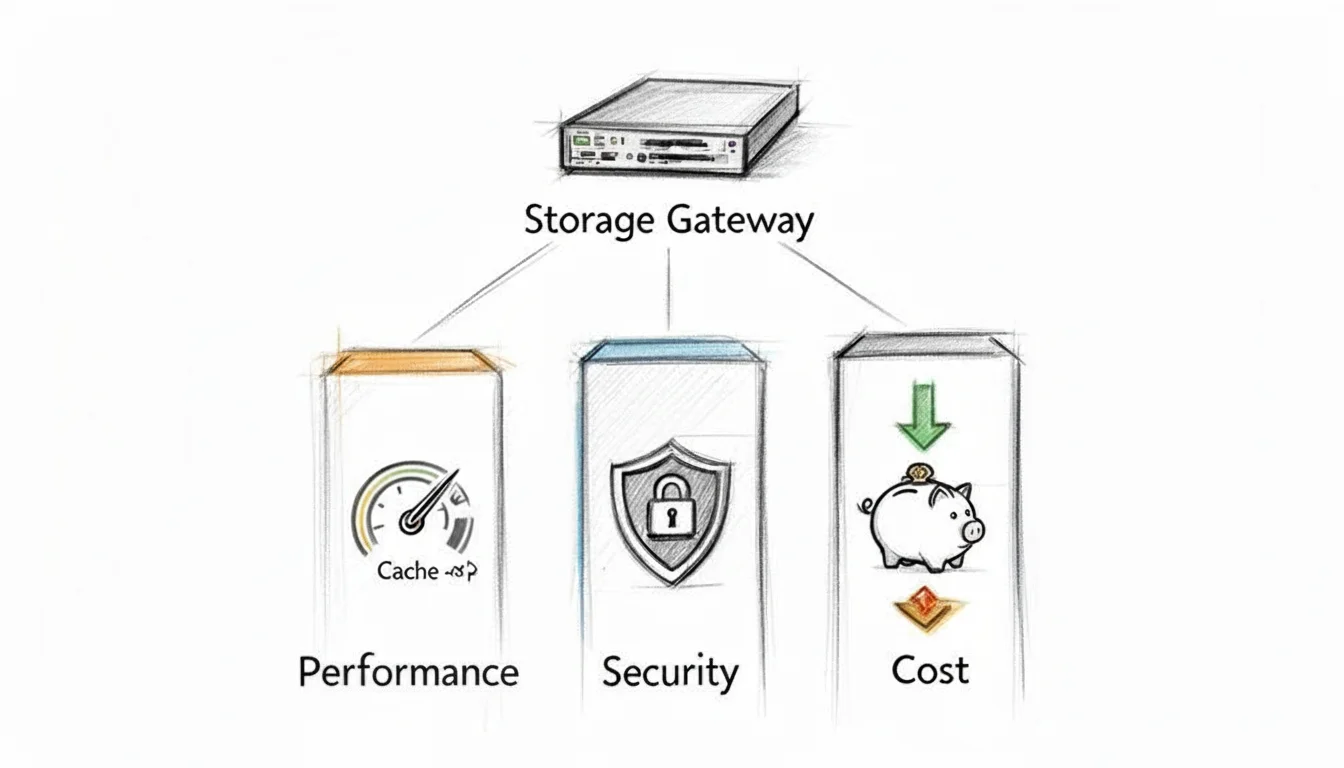 Illustration: A visual representation of the three critical pillars for optimizing AWS Storage Gateway: Performance, Security, and Cost efficiency.
Successfully deploying your AWS Storage Gateway is an excellent initial step toward establishing a robust hybrid cloud environment. However, the true value and long-term efficiency of the service are realized through continuous optimization. This ongoing process centers on strategically balancing three critical domains: performance, security, and cost.
Neglecting any of these pillars can lead to detrimental outcomes—ranging from sluggish application responsiveness and frustrated users to significant security vulnerabilities or unexpectedly high monthly AWS expenditures. Let's delve into how you can meticulously fine-tune each of these areas to ensure your gateway remains a reliable, efficient, and cost-effective component of your IT infrastructure.
Fine-Tuning Gateway Performance: Speed and Responsiveness
Performance is intrinsically linked to speed and responsiveness. A slow gateway creates a bottleneck that can impede business operations and diminish user productivity. Performance issues with Storage Gateway can almost always be attributed to two primary factors: the local cache configuration and the available network bandwidth.
Visualize the local cache as a dedicated "fast lane" within your gateway appliance. It intelligently stores the data your applications access most frequently. When data is served directly from this cache, the response is virtually instantaneous because it bypasses the need for a round trip to an AWS data center.
- Optimal Cache Sizing: A larger, adequately provisioned cache allows more "hot" data to reside locally, which significantly enhances read performance. It's often beneficial to err on the side of generosity when allocating cache space.
- Adequate Network Bandwidth: This represents the data highway connecting your on-premises environment to AWS. A wider, more stable highway facilitates rapid data movement. Insufficient bandwidth will inevitably lead to congestion, high latency, and poor throughput.
To gain actionable insights into your gateway's operational health, you should heavily leverage Amazon CloudWatch. CloudWatch provides crucial metrics such as CacheHitPercent (indicating how often data is served from the local cache), CloudBytesUploaded and CloudBytesDownloaded (showing data transfer volumes), and overall Throughput. By diligently monitoring these metrics, you can proactively identify and resolve potential performance bottlenecks, a critical skill for AWS Certified SysOps Administrators.
Securing Your Hybrid Data Flow: Trust and Protection
When data traverses the boundary between your on-premises systems and the AWS cloud, robust security measures are paramount. For AWS Storage Gateway, this encompasses protecting data both while it is in transit (moving across the network) and when it is at rest (stored in the cloud).
Data in transit between your Storage Gateway and AWS is automatically protected using industry-standard SSL/TLS encryption. This cryptographic scrambling renders the data unreadable to any unauthorized entities attempting to intercept or "snoop" on your connection, ensuring confidentiality and integrity.
For your data at rest in the cloud, Storage Gateway seamlessly integrates with the AWS Key Management Service (KMS). By utilizing KMS to encrypt everything stored in Amazon S3 or as EBS Snapshots, you introduce a powerful, centralized layer of defense. Even in the highly improbable event of unauthorized access to the underlying storage, the data itself remains completely unintelligible without the proper decryption keys, reinforcing the principle of defense-in-depth, a core concept in (ISC)² CISSP and AWS Certified Security – Specialty exams.
Beyond encryption, a comprehensive understanding of general IT security principles is indispensable. You should strictly adhere to the principle of least privilege by configuring AWS Identity and Access Management (IAM) roles for your gateway with only the minimum permissions absolutely necessary for its operation. This drastically reduces the potential attack surface and limits the impact of any compromised credentials.
Managing and Reducing Your Costs: Financial Efficiency
The promise of cost savings is a significant motivator for cloud adoption, but these savings are not automatic—they require intelligent management. Understanding the pricing structure for AWS Storage Gateway, which involves several components, is essential for financial efficiency.
Key Cost Components to Monitor:
- Gateway Usage: A small, fixed monthly fee is typically charged for each active gateway.
- Data Storage: This is the primary cost component, representing what you pay to store your data in AWS services like Amazon S3 or as EBS Snapshots. For most users, this will constitute the largest portion of their bill.
- Data Transfer Out: You incur charges only for data transferred out of AWS. All data transferred into AWS (e.g., from your on-premises gateway to S3) is free of charge.
One of the most effective strategies for controlling and reducing costs is to strategically match your data to the most appropriate S3 storage class. For example, if you're using a File Gateway primarily for archiving older, less frequently accessed data, you can configure S3 Lifecycle policies or leverage S3 Intelligent-Tiering to automatically move these files to much cheaper storage tiers like S3 Glacier Flexible Retrieval or S3 Glacier Deep Archive. Implementing such a simple lifecycle policy can often lead to storage cost reductions of over 70%, a key optimization strategy for AWS Solutions Architect professionals.
Preparing for Your AWS Certification Exam: Mastery of Hybrid Storage
If you're actively preparing for an AWS certification—such as the Solutions Architect – Associate, SysOps Administrator – Associate, or even a Professional-level exam—it is absolutely imperative to develop a thorough understanding and practical familiarity with AWS Storage Gateway. This service consistently features prominently in exam questions. Certification scenarios rarely ask for simple definitions; instead, they present complex business problems, requiring you to quickly analyze the requirements and determine which gateway type offers the optimal solution.
AWS Storage Gateway lies at the core of most successful hybrid cloud strategies, which represent a massive and continuously expanding segment of the IT market. To underscore its strategic importance, the global cloud storage gateway market is projected to reach USD 22.21 billion by 2030. For your exam preparation, this means that merely recognizing the service isn't enough; you must be proficient in its architecture, operational nuances, and common use cases. You can find more insights into this growth in the cloud storage gateway market report.
Key Concepts for Exam Day: Dissecting Scenarios
When confronted with an exam question pertaining to Storage Gateway, your initial step should be to meticulously dissect the scenario presented. What is the fundamental business challenge they are attempting to address? Is it focused on file-based access, block storage for a specific application, or the modernization of a legacy tape backup system?
- File Gateway Clues: This is your primary choice whenever the question mentions standard file protocols like NFS or SMB. Look for keywords or phrases such as "on-premises file shares," "migrating a file server," "centralizing user home directories," or "accessing S3 objects as if they were local files."
- Volume Gateway Distinctions: This is the correct answer for applications that mandate block storage over iSCSI. The crucial distinction here is understanding its two modes:
- Cached Mode: Select this when the scenario emphasizes cost savings by keeping most data in S3, but requires fast, low-latency access to the most frequently used data on-premises (the "hot" data).
- Stored Mode: Opt for this when the scenario demands the absolute lowest-latency access to the entire dataset locally. The on-premises gateway stores all data, with AWS primarily used for asynchronous backups via EBS Snapshots.
- Tape Gateway Identifiers: This type is typically the most straightforward to identify. If you encounter phrases like "replacing physical tapes," "VTL (Virtual Tape Library)," "legacy backup software integration" (e.g., Veeam, NetBackup, Commvault), or "long-term archiving to Glacier," it's almost certainly the Tape Gateway.
Exam Tip: Develop a simple mental model for rapid identification:
- File Gateway: File protocols (NFS/SMB) for Amazon S3 (objects).
- Volume Gateway: Block protocol (iSCSI) for Amazon S3 (data) / EBS (snapshots).
- Tape Gateway: VTL interface for Amazon S3 / Glacier (virtual tapes) to eliminate physical tape infrastructure.
Mastering these distinctions is paramount, as they form the bedrock for nearly every scenario-based question you'll encounter on AWS certification exams. To further enhance your study plan, explore the full range of AWS certifications available and strategize your career progression.
Sample Exam Question and Detailed Breakdown
Let's apply these principles to a typical AWS certification exam question to illustrate how this plays out in practice.
A manufacturing company seeks to modernize its daily backup process to AWS, aiming to significantly reduce the operational overhead associated with managing its physical tape library. Their existing backup software is configured to write data to a tape library utilizing an iSCSI connection. The company requires a solution that minimizes changes to their current backup workflow and integrates seamlessly. Which AWS service should they implement?
A. AWS DataSync to transfer backup data directly to Amazon S3. B. AWS Storage Gateway – File Gateway to store backups as files in S3. C. AWS Storage Gateway – Tape Gateway to create a virtual tape library (VTL). D. AWS Storage Gateway – Volume Gateway (Stored Mode) to back up local volumes.
Correct Answer: C. AWS Storage Gateway – Tape Gateway
Explanation: The critical clues in this scenario are "physical tape library," "existing backup software configured to write to a tape library via an iSCSI connection," and "minimizes changes to their current backup workflow." The AWS Storage Gateway – Tape Gateway is specifically designed for this exact purpose: it emulates a physical tape library (a Virtual Tape Library, or VTL) and integrates seamlessly with common legacy backup applications using the iSCSI protocol. It directly addresses the company's requirements by modernizing their backup infrastructure without forcing a complete re-architecture of their established backup processes.
The other options are incorrect because:
- A. AWS DataSync is a data transfer service, not a direct replacement for a tape library, and would require significant changes to the backup software to leverage S3 directly.
- B. AWS Storage Gateway – File Gateway is designed for file-based access (NFS/SMB) to S3 objects, not for iSCSI-based tape library emulation.
- D. AWS Storage Gateway – Volume Gateway (Stored Mode) provides iSCSI block storage volumes with asynchronous backups to EBS Snapshots, which is not compatible with existing tape-based backup software seeking a VTL.
Frequently Asked Questions: Practical Insights for IT Professionals
When you’re diving deep into a service as foundational as AWS Storage Gateway, a few common questions invariably arise. We’ve compiled the inquiries we most frequently hear from IT professionals in the field and those diligently studying for their certifications, providing clear, concise, and actionable answers.
What Are the On-Premises Hardware Requirements for AWS Storage Gateway?
You generally don't need specialized, custom hardware from AWS to run the gateway. It operates as a virtual machine (VM) on industry-standard hypervisors that you likely already have in your data center, such as VMware ESXi or Microsoft Hyper-V.
The key is to provision the VM with adequate resources. A typical small deployment might start with 4 vCPUs and 16 GB of RAM, along with at least 80 GB for the VM's primary operating system disk. However, the most crucial resource allocation is for the local disk space designated for the cache and upload buffer. A larger, well-sized cache is critical for delivering faster access to frequently used data for your users, so this is not an area to compromise on if performance is a priority.
How Does AWS Storage Gateway Handle Network Interruptions or Outages?
This is a critically important question, as on-premises network connectivity to the cloud is not always perfectly stable. The Storage Gateway is engineered with this reality in mind and incorporates robust mechanisms to ensure data integrity and operational continuity during network disruptions. It features built-in retry logic and, more importantly, a substantial local upload buffer.
If your internet connection to AWS experiences an interruption, your local applications will not immediately grind to a halt. They can continue writing data to the gateway's local buffer as if nothing has occurred. Once the network connectivity is restored, the gateway intelligently resumes uploading the queued data to AWS from its buffer, ensuring that no data is lost and the synchronization process continues seamlessly from where it left off.
Can I Migrate an Existing File Server to an AWS File Gateway?
Absolutely. In fact, migrating traditional file servers is one of the most common and compelling use cases for the File Gateway. It allows organizations to efficiently shift data from aging Windows or Linux file servers into AWS with minimal disruption and downtime for end-users.
A typical migration strategy involves using a service like AWS DataSync to perform the initial, bulk transfer of all your existing files from the on-premises server into an Amazon S3 bucket. Once this initial synchronization is complete, you then configure your File Gateway to use that populated S3 bucket as its backend storage. Finally, you simply redirect your users and applications to connect to the new gateway file share. The gateway’s local cache ensures that active files maintain snappy performance, making the transition virtually transparent to your users.
What Is the Fundamental Difference Between Cached and Stored Volumes in Volume Gateway?
This distinction is perhaps the most vital concept to fully grasp for the Volume Gateway and is a classic topic frequently tested in AWS certification exams. The two modes serve fundamentally different architectural and operational needs.
Cached Volumes: "Cloud-First" Data Model In this mode, your primary, complete dataset resides primarily in Amazon S3. The on-premises gateway intelligently maintains a cache of only your most frequently accessed data locally. This model is exceptionally effective for achieving significant cost savings on local storage infrastructure, as the bulk of your data is in the cloud, while still providing users with fast, low-latency access to their actively used data.
Stored Volumes: "On-Premises-First" Data Model Conversely, in this mode, the gateway stores your entire dataset on your local storage infrastructure, providing the absolute fastest, lowest-latency access possible for your applications. The gateway then asynchronously backs up this complete local dataset to AWS by creating EBS Snapshots. This setup is ideal for critical primary applications that demand constant, immediate access to their full dataset locally, while simultaneously leveraging AWS as a powerful, reliable, and off-site disaster recovery solution.
Ready to master the concepts behind critical AWS services and accelerate your career? MindMesh Academy offers expert-curated study materials and evidence-based learning techniques to help you pass your certification exams with confidence. Explore our courses today at https://mindmeshacademy.com.

Written by
Alvin Varughese
Founder, MindMesh Academy
Alvin Varughese is the founder of MindMesh Academy and holds 15 professional certifications including AWS Solutions Architect Professional, Azure DevOps Engineer Expert, and ITIL 4. He's held senior engineering and architecture roles at Humana (Fortune 50) and GE Appliances. He built MindMesh Academy to share the study methods and first-principles approach that helped him pass each exam.