AWS CloudWatch vs CloudTrail A Complete Guide
AWS CloudWatch vs. CloudTrail: A Complete Guide for IT Professionals
For IT professionals diving deep into the AWS ecosystem, few distinctions are as fundamental yet frequently confused as AWS CloudWatch vs. CloudTrail. Mastering these services isn't just about operational efficiency; it's a critical skill for passing AWS certification exams and designing robust, secure cloud architectures.
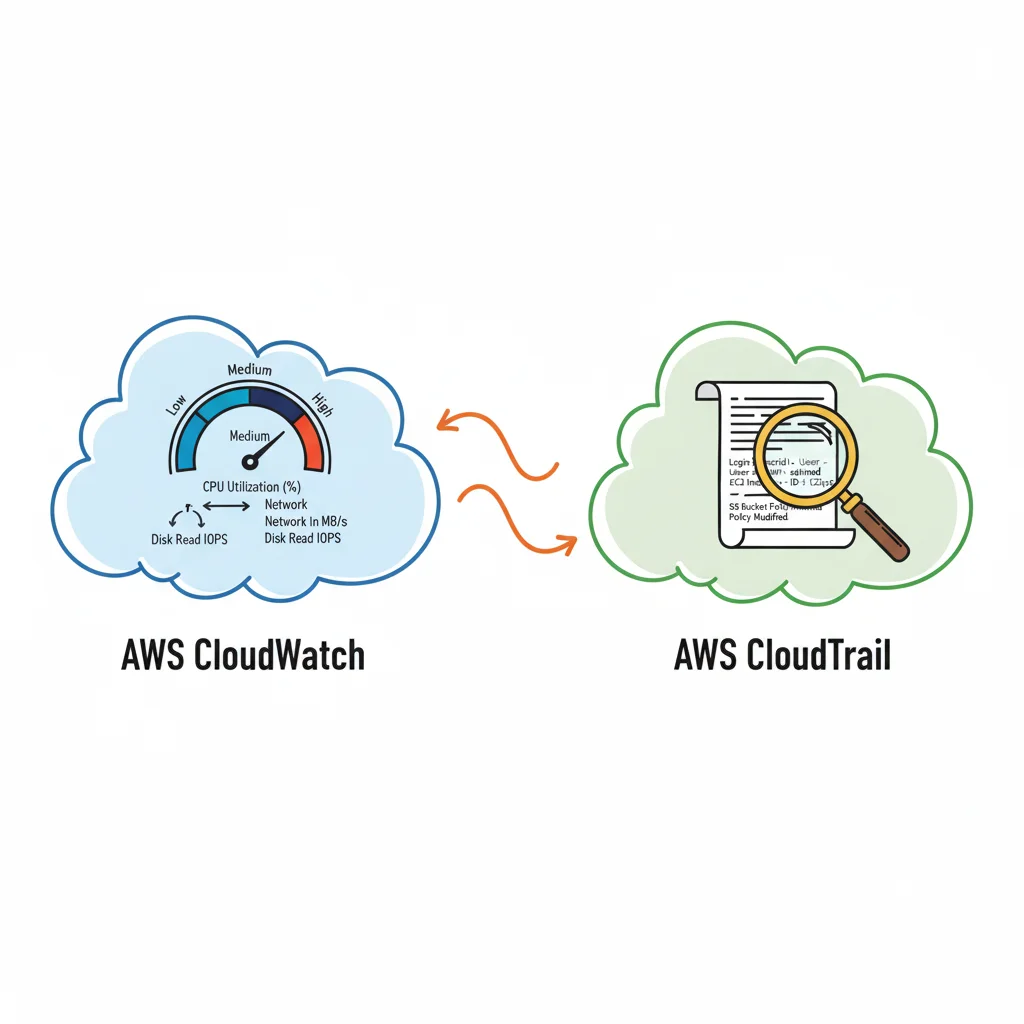
Let's demystify them with a straightforward analogy. Imagine your cloud environment as a high-performance vehicle. CloudWatch is akin to the dashboard of your car—it provides real-time operational metrics like CPU utilization, network throughput, and application response times. It tells you how your system is performing right now. CloudTrail, conversely, is the vehicle's black box recorder. It logs every action, every turn, and every stop, meticulously documenting who did what, when, and where within your AWS account.
CloudWatch's primary domain is performance monitoring and observability. It’s the indispensable tool for tracking the vital signs of your applications and infrastructure. It helps you answer urgent operational questions such as: "Is my EC2 instance's CPU usage dangerously high?" or "Why are my application response times suddenly spiking?"
CloudTrail serves a distinct, yet equally vital, purpose: security auditing, governance, and compliance. It meticulously records nearly every API call made in your AWS account, providing an immutable history of actions taken by users, roles, or even other AWS services. This service is your go-to for security forensics, compliance reporting, and change management, helping you answer questions like: "Who was the last person to modify this security group?" or "Which user just deleted that critical S3 bucket?"
To distill their core functions:
- CloudWatch monitors the state and performance of your resources.
- CloudTrail records the actions and changes made to your resources.
This clear division of labor is rooted in their evolution. CloudWatch debuted in 2009, addressing the immediate need for developers and operators to gain insight into operational metrics. CloudTrail followed in 2013, specifically engineered to meet the growing demand for robust security, auditing, and compliance through comprehensive API call logging.
If you're preparing for an AWS certification, understanding how these services complement each other is paramount. For a deeper dive into their roles within the broader AWS security and monitoring ecosystem, explore our comprehensive guide to monitoring and logging.
CloudWatch vs. CloudTrail: At a Glance
This table offers a quick comparison of the core purpose and function of each service, a crucial distinction often tested in AWS certification exams.
| Aspect | AWS CloudWatch | AWS CloudTrail |
|---|---|---|
| Primary Purpose | Performance monitoring, operational health, and resource optimization. | Security auditing, governance, compliance, and change management tracking. |
| Data Collected | Metrics (e.g., CPU utilization, network I/O), application/system logs, traces, and events for operational insights. | API call history, user activity, and resource configuration changes. |
| Key Question Answered | "What is the current health and performance of my system?" (The what and how of operations) | "Who performed what action, when, and from where in my account?" (The who, what, when, and where of changes) |
| Common Use Cases | Application Performance Monitoring (APM), infrastructure health checks, auto-scaling triggers, operational alarms, and dashboarding. | Security incident investigation, compliance reporting (e.g., HIPAA, PCI DSS), change management audits, and forensic analysis. |
This overview clearly outlines their distinct roles within your AWS environment.
Key Takeaway for Certification Exams: The easiest way to remember the difference is this: CloudWatch provides performance and operational data (the 'what' and 'how' of system health), while CloudTrail focuses on activity and audit data (the 'who' and 'when' of changes). A well-architected solution, as emphasized in AWS exams, requires both for resilience and security.
Grasping this fundamental distinction is the first step toward building a properly observable and secure cloud architecture, laying the groundwork for more advanced monitoring and governance strategies.
Comparing Critical Features: Monitoring and Auditing in AWS
Moving beyond the high-level overview, examining the specific features of AWS CloudWatch and CloudTrail truly reveals their specialized design. Both are indispensable for gaining visibility into your AWS environment, but their mechanisms for data collection, monitoring, and alerting are fundamentally different, tailored for their distinct jobs.
The most significant divergence lies in the type of data they collect. CloudWatch is engineered for performance and operational data. It ingests metrics—time-stamped data points such as CPU utilization, network I/O, API latency, and disk activity. Simultaneously, it aggregates logs from applications, operating systems, and various AWS services, offering a comprehensive runtime view of your environment.
CloudTrail, in stark contrast, is exclusively focused on API event records. Every single action performed within your AWS account—whether initiated via the AWS Management Console, CLI, or an SDK—is captured as a log event. This creates an immutable audit trail, providing the crucial "who, what, when, and where" for every resource change.
Data Collection and Granularity: What and How Quickly?
CloudWatch excels in high-frequency data collection. Standard EC2 monitoring, for example, provides metrics every five minutes. For more immediate insights, you can enable detailed monitoring to collect data every one minute. This level of granularity is vital for detecting performance anomalies, triggering rapid responses like auto-scaling, and is a common point of discussion in AWS Solutions Architect exam questions regarding optimization.
CloudTrail, on the other hand, prioritizes completeness and immutability over real-time speed. It typically delivers an event to your S3 bucket within approximately 15 minutes of the API call. While not instantaneous, this timing is perfectly adequate for its core purposes—security forensics and compliance audits—where a comprehensive, unassailable record is far more critical than sub-minute delivery. To understand the structure and content of this audit data, you can examine how AWS CloudTrail log events are structured.
Reflection Point: For a scenario requiring immediate auto-scaling due to a sudden traffic surge, which service's data granularity would be more beneficial, and why? Consider the implications for an AWS DevOps Engineer certification scenario.
At its core, CloudWatch provides a continuous stream of performance telemetry, telling you how your systems are running. CloudTrail delivers a discrete, event-based record, informing you what changes were made.
This visualization clearly differentiates the two data streams, helping to cement this critical concept for your AWS certification journey. CloudWatch offers a dashboard-style view of ongoing metrics, while CloudTrail provides a log-based audit trail.
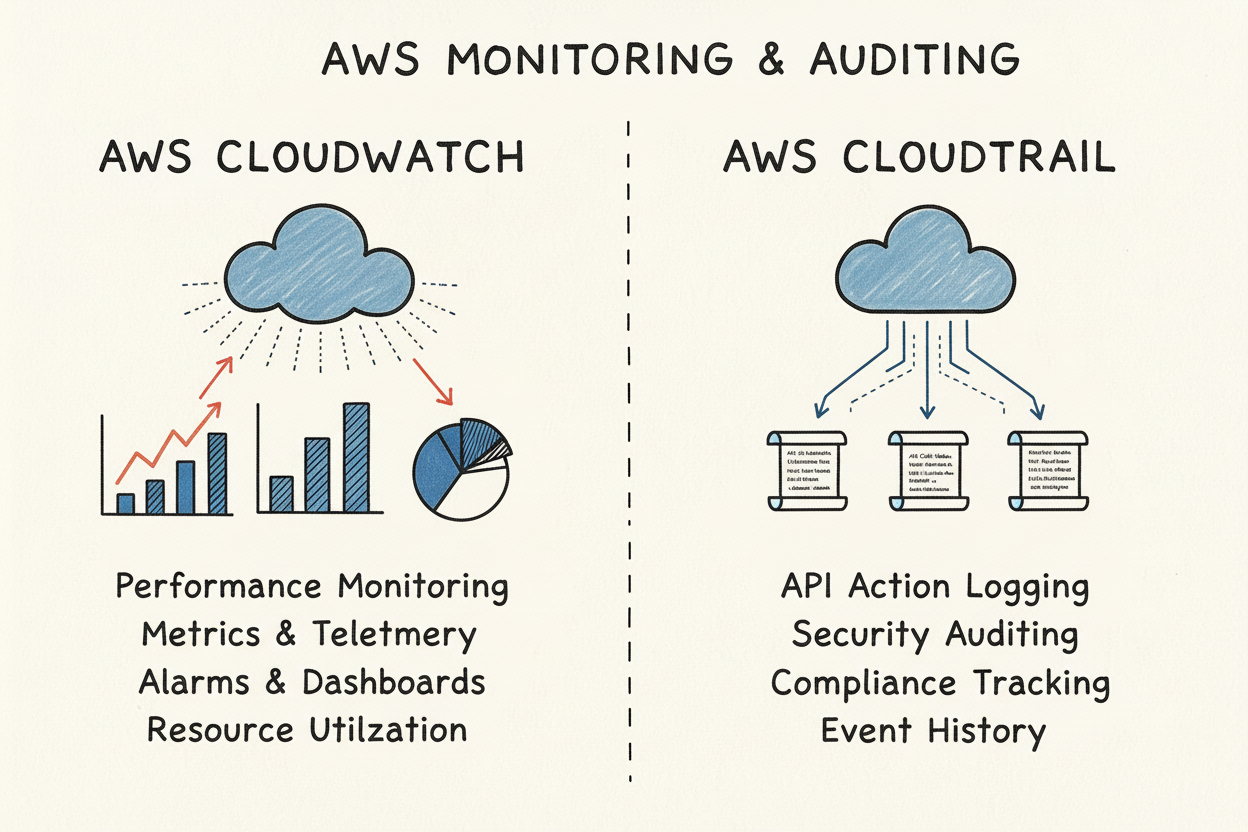 Caption: This infographic illustrates the fundamental difference: CloudWatch aggregates performance data, while CloudTrail captures individual API actions for auditing and accountability.
Alerting Mechanisms and Triggers: Proactive vs. Reactive
The alerting capabilities of each service are inherently tied to the type of data they collect. CloudWatch Alarms are primarily metric-driven. You define a threshold for a specific metric (e.g., CPUUtilization > 80%) over a defined period. If this threshold is breached, the alarm transitions into an ALARM state, triggering configured actions.
- CloudWatch Alarm Example (Certification Context): An exam question might describe a scenario where you need to be alerted if an EC2 instance's
NetworkInmetric remains above a certain threshold for three consecutive five-minute periods. This indicates a potential DDoS attack or an unexpected traffic surge, requiring a CloudWatch Alarm for early warning and potential automated response via SNS or Lambda.
CloudTrail’s alerting, on the other hand, is event-driven and typically orchestrated through CloudWatch Events (now largely integrated with Amazon EventBridge). Here, you create rules that look for specific patterns or attributes within the CloudTrail event data itself.
- CloudTrail Alert Example (Certification Context): A security team must be immediately notified if the
DeleteBucketPolicyAPI call is made on a critical S3 bucket containing sensitive data. An EventBridge rule, configured to monitor CloudTrail events for this specific API call, would trigger an immediate alert, demonstrating a proactive security posture often tested in AWS Security Specialty exams.
Data Retention and Long-Term Storage: Balancing Cost and Compliance
The data retention policies for CloudWatch and CloudTrail are also tailored to their respective roles, an important consideration for cost optimization and compliance in AWS certifications. CloudWatch retains metric data based on its age and granularity:
- 1-minute data points are available for 15 days.
- 5-minute data points are kept for 63 days.
- 1-hour data points are available for 455 days (15 months).
For logs, CloudWatch Logs offers granular control over retention, allowing you to configure policies from a single day to indefinite storage, enabling you to balance storage costs with regulatory and operational requirements.
CloudTrail, by default, provides the last 90 days of management event history through its Event History view at no additional charge. For longer-term retention, you must configure a "trail," which delivers all events as log files to an S3 bucket you own. Once in S3, the retention policy is entirely within your control, essential for meeting compliance standards that often mandate keeping audit data for several years. This aspect is crucial for AWS Security and Compliance-focused certifications.
Putting Theory into Practice: Real-World Scenarios for AWS Professionals
Understanding the individual features of CloudWatch and CloudTrail is a crucial first step, but the true test of mastery—and a key focus of AWS certification exams—lies in applying this knowledge to practical, real-world scenarios. Translating their technical capabilities into effective monitoring and security strategies is where IT professionals add significant value.
Certain situations clearly demand the performance-focused lens of CloudWatch, while others necessitate the forensic detail unique to CloudTrail. Most often, the most profound insights and robust solutions emerge from using both in conjunction, providing a complete narrative of your environment's health and activity.
When to Lean on CloudWatch: Operational Excellence
Consider CloudWatch as the operational pulse monitor of your AWS environment. Its primary role is to provide the real-time data necessary to maintain application and infrastructure performance and efficiency. Its strength lies in immediate performance and health monitoring.
Here are classic scenarios where CloudWatch is your indispensable tool:
- Application Performance Monitoring (APM) and Troubleshooting: Your mission-critical e-commerce application experiences a sudden slowdown during a peak traffic event. With CloudWatch, you can instantly examine key metrics like Application Load Balancer (ALB) latency, EC2
CPUUtilization, RDS database connections, and custom application metrics. If metrics point to a bottleneck at the database layer (e.g., highDatabaseConnections, increasedReadIOPS), your operations team can pinpoint the issue in minutes, rather than hours. - Proactive Infrastructure Scaling with Auto Scaling: A media streaming service, often facing unpredictable viewership spikes, needs to scale dynamically. By setting up a CloudWatch Alarm on the average
CPUUtilizationof their EC2 fleet, they can automatically trigger an AWS Auto Scaling policy. When the average CPU exceeds 70% for five consecutive minutes, new instances are launched, ensuring uninterrupted service and optimal viewer experience, a common scenario in Solutions Architect Professional exams. - Diagnosing Infrastructure Bottlenecks: Users report that network performance "feels sluggish." By investigating CloudWatch metrics such as
NetworkInandNetworkOutfor your instances, you can analyze traffic patterns. If an instance's network interface is consistently saturated, it indicates a bottleneck, guiding you to either upgrade to a larger instance type or optimize your network configuration. For a deeper look, check out our guide on using Amazon CloudWatch for network metrics.
Where CloudTrail Shines: Security, Compliance, and Governance
CloudTrail is your definitive source of truth for every action performed within your AWS account. This makes it absolutely essential for robust security, strict compliance, and effective governance strategies. It creates an unchangeable record of who did what, when, and from where—critical for incident forensics and regulatory audits.
Consider these situations where CloudTrail would be your first point of reference:
- Security Forensics and Incident Response: A developer urgently reports that a critical S3 bucket containing sensitive customer data has unexpectedly disappeared. A security engineer can immediately query CloudTrail logs, filtering for the
DeleteBucketAPI call. This instantly reveals the IAM user or role, the source IP address, and the precise timestamp of the event, enabling swift and targeted incident response. This scenario is a frequent topic in AWS Security Specialty exam questions. - Compliance and Auditing: Your organization must demonstrate adherence to regulatory standards like HIPAA, PCI DSS, or GDPR, which mandate stringent access controls and audit trails. CloudTrail serves as your primary evidence locker. It logs every API call to services like S3, DynamoDB, or IAM, allowing auditors to verify that only authorized users or services accessed sensitive data, providing the immutable record required for compliance reporting.
- Tracking Down Unauthorized or Risky Changes: An unexpected configuration change causes an application outage, and no authorized change window was in effect. Reviewing the CloudTrail event history shows that a critical security group rule was modified moments before the outage began by an unexpected user. This not only identifies the unauthorized modification but also helps teams implement tighter change management policies to prevent recurrence.
Certification Focus: Answering questions about which service to use for "root cause analysis of an outage caused by a configuration change" versus "monitoring application latency" directly tests your understanding of the core difference. CloudWatch answers, "Is my system healthy?" while CloudTrail answers, "Who is doing what to my system?" Both are vital questions for running a secure and reliable cloud environment.
The Power of Synergy: A Combined Scenario for Comprehensive Insight
The real strategic advantage in AWS, particularly for complex deployments and certification exam challenges, comes from integrating CloudWatch and CloudTrail. This synergy allows you to connect operational events to specific user or service actions, providing a complete root cause analysis that neither service could deliver independently.
Let's illustrate this powerful, combined use case:
- The Operational Anomaly (CloudWatch): A CloudWatch alarm fires, notifying your team that the average API latency for your primary application has unexpectedly tripled in the last 10 minutes. This signals a significant operational issue.
- The Security Investigation (CloudTrail): The operations team immediately pivots to CloudTrail, filtering management events like
UpdateFunctionConfiguration,CreateDeployment, orAttachRolePolicywithin that same problematic time window. - The Correlation and Discovery (Combined Insight): By correlating the timestamps, the CloudTrail logs reveal that a new version of a critical Lambda function was deployed by a specific developer just moments before the latency alarm was triggered.
- The Swift Resolution: With this correlated operational and audit data, the root cause is clear. The team can swiftly roll back the Lambda deployment to the previous stable version, restoring performance while the developer investigates the issue with the new code.
This scenario perfectly encapsulates why the "CloudWatch vs. CloudTrail" discussion is less about choosing one service and more about strategically leveraging both. CloudWatch alerts you to the "smoke," and CloudTrail helps you identify "who lit the fire." Without this powerful partnership, troubleshooting becomes a prolonged, frustrating guessing game, a risk you cannot afford in a production AWS environment or during a critical certification exam.
How They Fit into the Broader AWS Ecosystem: Designing Integrated Solutions
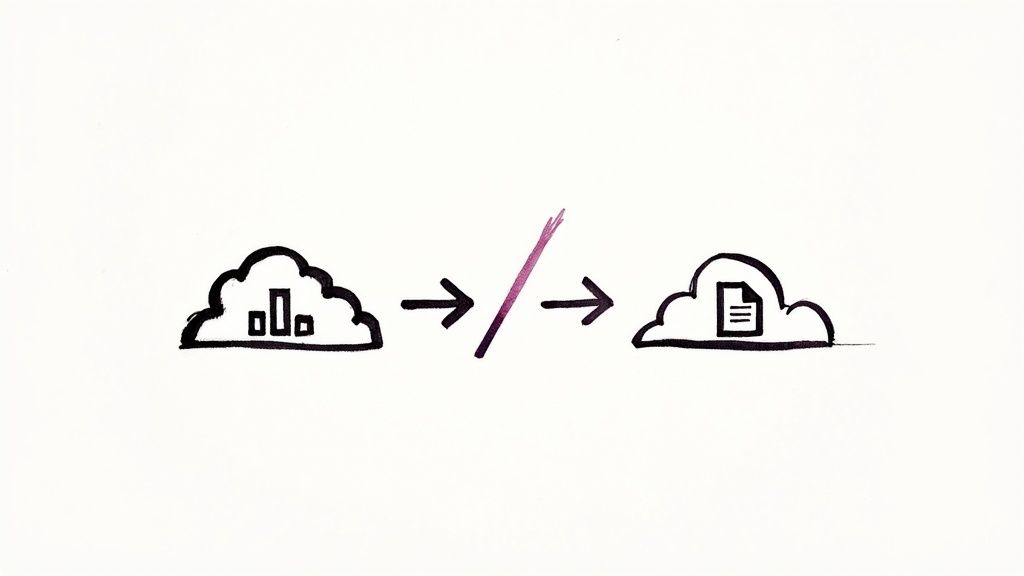 Caption: This diagram visually represents how CloudWatch and CloudTrail integrate with other AWS services, demonstrating their foundational roles within the broader ecosystem for monitoring, security, and automation.
No AWS service operates in isolation. The true power of the platform, and a key aspect of architecting robust solutions (often tested in professional-level certifications), lies in understanding how services interconnect. CloudWatch and CloudTrail exemplify this, each acting as a distinct, yet complementary, hub within the wider AWS ecosystem. CloudWatch functions as the primary operational trigger for your infrastructure, while CloudTrail provides the foundational audit data that fuels your security and governance tools.
These integrations transform raw data into intelligent, automated actions. CloudWatch links the internal state of your resources to how you manage them, and CloudTrail connects the who, what, and when of API calls to your overall security posture.
CloudWatch as an Operational Automation Hub
CloudWatch is deeply integrated into the operational fabric of AWS, serving as a central nervous system for performance monitoring and automated responses. Its ability to collect metrics and logs from virtually every AWS service positions it perfectly to trigger a wide array of automated workflows, ensuring your systems remain healthy, performant, and efficient.
Here are its most common integrations, frequently highlighted in AWS certification scenarios:
- AWS Auto Scaling: This is a classic pairing. A CloudWatch alarm monitors a critical metric, such as
CPUUtilization. If it breaches a predefined threshold, the alarm triggers an Auto Scaling policy to add or remove EC2 instances, ensuring your application can handle fluctuating loads dynamically. This is a core concept for Solutions Architect certifications. - Amazon SNS (Simple Notification Service): When a CloudWatch alarm transitions to an
ALARMstate, it can publish a message to an SNS topic. This is a versatile mechanism for alerting human operators via email or SMS, or for pushing events into other downstream applications or incident management systems. - AWS Lambda: This integration enables powerful custom automation. A CloudWatch alarm can directly invoke a Lambda function to execute almost any remedial action you can script—from restarting a failed service, to patching a vulnerability, to quarantining a suspicious instance, demonstrating proactive operations, a key skill for DevOps Engineer certifications.
This tight integration makes CloudWatch far more than a passive monitoring tool; it's an active engine for self-managing and self-healing infrastructure.
Certification Insight: Think of CloudWatch as the "if" clause in your "if-this-then-that" automation logic. It continuously observes for a specific condition (if CPU is too high) and triggers a predefined response (then add another server), a pattern vital for fault-tolerant and highly available architectures.
CloudTrail as a Foundational Security and Governance Feed
CloudTrail's integrations are squarely focused on security, compliance, and governance. It generates the authoritative, immutable record of every action taken in your account, which other services then consume to detect threats, analyze changes, and enforce corporate policies.
Its key integrations, critical for AWS Security Specialty and Governance exams, are built around this auditing purpose:
- Amazon S3 (Simple Storage Service): This is the most fundamental integration. You configure a trail to deliver all audit logs to an S3 bucket, providing durable, long-term storage—a non-negotiable requirement for most compliance frameworks.
- Amazon GuardDuty: AWS's intelligent threat detection service continuously analyzes CloudTrail events (along with VPC Flow Logs and DNS query logs) to identify malicious or anomalous activity, such as unusual API calls, unauthorized deployments, or suspicious network behavior, signaling potential security incidents.
- AWS Config: These two services offer a comprehensive change management solution. CloudTrail records who made a change and when, while AWS Config records what the resource's configuration looked like before and after the change, providing a complete picture for auditing and compliance.
As of 2025, CloudWatch has expanded its capability to pull metric data from virtually every AWS service, offering an even more comprehensive view across your entire stack. Newer features like Metric Streams allow real-time piping of this data to third-party platforms for hybrid or multi-cloud monitoring.
By combining CloudWatch alarm triggers with CloudTrail insights, you can create powerful, automated security responses—for example, disabling a user's credentials the moment CloudTrail logs suspicious API activity. This seamless flow of data makes CloudTrail the bedrock of a proactive security strategy. The distinction in the AWS CloudWatch vs. CloudTrail debate becomes crystal clear: one drives operational automation, the other fuels security and compliance analysis.
Decoding the Price Tags: CloudWatch vs. CloudTrail Costs for Smart Cloud Budgeting
Understanding the cost structures for AWS CloudWatch and CloudTrail is paramount for any IT professional managing an AWS budget, and it's a topic often explored in the cost optimization domain of AWS certification exams. Both services are essential, but their pricing models are designed for different purposes, and strategic configuration can yield significant savings without sacrificing critical insights.
CloudWatch operates on a classic pay-as-you-go model. While it offers a generous free tier to get started, costs accrue based on the volume of data you push and the specific features you utilize.
CloudTrail, in contrast, offers a more straightforward entry point. AWS provides one free management event trail per region, which is often sufficient for basic audit logging. The primary costs for CloudTrail arise when you configure additional trails or begin logging high-volume data events.
The CloudWatch Cost Breakdown: Key Drivers
Your CloudWatch bill comprises several components, with the main cost drivers often being:
- Custom Metrics: While standard metrics from many AWS services are included in their service pricing or fall within CloudWatch's free tier, you are charged for every custom metric you publish to CloudWatch.
- Detailed Monitoring: Opting for 1-minute detailed monitoring for services like EC2, as opposed to the standard 5-minute interval, incurs an additional per-instance charge. This decision should be weighed against the operational criticality of the resource.
- Alarms: You are charged for each CloudWatch Alarm you configure. High-resolution alarms (for metrics at 10-second or 30-second intervals) cost more than standard-resolution alarms.
- API Requests: While typically small, heavy users of CloudWatch dashboards or API integrations might see costs from
GetMetricDataandGetMetricWidgetImageAPI calls accumulating. - Log Data Management: This is often the largest cost component for CloudWatch. You pay for ingesting data into CloudWatch Logs (per GB) and for storing it over time (per GB-month). This area frequently surprises users with unexpected expenses.
Pro-Tip for Certs and Real-World: The biggest surprise on a CloudWatch bill almost always stems from log ingestion. A single, misconfigured application generating terabytes of verbose logs can lead to a massive, unexpected expense. For certification exams, remember that cost optimization often involves smart log retention and filtering.
CloudTrail Pricing and Long-Term Storage Considerations
CloudTrail's pricing model is simpler but requires foresight regarding long-term storage. The first copy of management events delivered by a trail to S3 is completely free.
Where you'll incur charges for CloudTrail are:
- Additional Trails: If your architecture or compliance requirements necessitate more than one trail per region (e.g., for different departments, environments, or specific compliance scopes), you'll pay based on the volume of events delivered.
- Data Events: This is the primary cost driver for CloudTrail. Logging high-volume activity, such as S3 object-level API actions (e.g.,
GetObject,PutObject) or DynamoDB item-level operations, is charged per million events. This can quickly add up if not configured judiciously. - S3 Storage: While CloudTrail delivers the logs from your first trail free of charge, you are responsible for the standard Amazon S3 rates for storing those log files. This long-term storage can become a significant cost factor if retention policies are set for many years.
Real-World Strategies to Cut Costs Without Compromising Visibility
When navigating the AWS CloudWatch vs. CloudTrail cost debate, a proactive and informed approach is key to optimizing your cloud spend.
For CloudWatch, prioritize using standard 5-minute monitoring unless a mission-critical application genuinely requires faster updates for immediate remediation. Be strategic about your log retention policies in CloudWatch Logs; not every log group needs to be kept indefinitely. Implement log filtering at the source if possible, or use CloudWatch Logs Insights queries to analyze only relevant data, reducing the amount of data ingested and stored.
With CloudTrail, be precise about what you audit. Utilize event selectors to filter out unnecessary noise and capture only the API calls that are truly relevant for security, compliance, or operational auditing. This is especially crucial for data events—instead of logging all S3 object access, pinpoint specific critical S3 buckets or DynamoDB tables to monitor. A few careful tweaks here can drastically reduce data volume without sacrificing essential visibility, a practice that aligns with the "Cost Optimization" pillar of the AWS Well-Architected Framework.
Making the Right Choice for Your AWS Strategy: A Unified Vision
When it comes to AWS CloudWatch vs. CloudTrail, the ultimate goal for any IT professional, especially those pursuing AWS certifications, isn't about choosing one over the other. It's about strategically leveraging both services in concert to build a resilient, secure, and observable cloud environment. They are not competitors; rather, they are two specialists on your team, each with a distinct and indispensable role.
CloudWatch is your real-time operational dashboard and incident responder. Its core mission is to continuously monitor the health, performance, and resource utilization of your systems. You rely on CloudWatch when your primary objectives are maintaining uptime, optimizing resource allocation, and reacting instantaneously to operational events like performance degradation, infrastructure bottlenecks, or unexpected traffic surges. It proficiently answers the question, "Is my application running optimally right now?"
CloudTrail, conversely, is your unblinking security auditor and compliance evidence locker. Its sole purpose is to provide an immutable and comprehensive record of every single action taken within your AWS account. You depend on CloudTrail for critical tasks such as security forensics, generating compliance reports (e.g., for HIPAA, PCI DSS), and enforcing robust governance policies. It answers a different, but equally vital question: "Who changed what in my environment, and when did they do it?"
Embracing a Unified Monitoring and Auditing Approach
A sophisticated and secure AWS strategy absolutely mandates the use of both CloudWatch and CloudTrail in tandem. CloudWatch provides the critical operational performance data, while CloudTrail delivers the essential security and audit context. Together, they create a comprehensive visibility layer that is non-negotiable for operating a secure, reliable, and compliant cloud environment.
For instance, a CloudWatch alarm might trigger, alerting you to an sudden, massive spike in network traffic to a particular EC2 instance. This provides the what and when of an operational event. However, it's your CloudTrail logs that will provide the crucial who and why—revealing whether it was a legitimate user launching a new process, a misconfigured application, or potentially a malicious actor attempting unauthorized access.
Final Certification Insight: The key takeaway here is that CloudWatch and CloudTrail aren’t competitors; they're synergistic partners. A solid cloud strategy, as advocated by AWS certification best practices, uses CloudWatch for proactive operational health monitoring and CloudTrail for irrefutable accountability and security auditing, creating a powerful synergy that protects and optimizes your AWS resources.
This partnership becomes even more critical as AWS services continually evolve. For example, a recent update is modifying how certain user identity fields are logged in CloudTrail for IAM Identity Center. This change, effective July 14, 2025, directly impacts how security teams track user activity and underscores the necessity of constantly adapting your monitoring and auditing strategy.
You can get the full rundown on these upcoming modifications to AWS CloudTrail event data. By integrating both tools from the outset, you establish a resilient foundation that can adapt to such changes, ensuring you maintain continuous visibility and control over your AWS environment.
Frequently Asked Questions for AWS CloudWatch vs. CloudTrail
When navigating the complexities of AWS, it's common for IT professionals to encounter specific questions about how AWS CloudWatch and CloudTrail intersect. Let's address some of the most frequently asked questions to solidify your understanding.
Many teams initially ponder if they can simplify their toolset by opting for just one of these services. The definitive answer, particularly in the context of robust cloud operations and AWS certification requirements, is a resounding no. Their functions are fundamentally different, and attempting to force one service to perform the role of the other is a recipe for significant operational and security blind spots.
Can CloudWatch Replace CloudTrail for Auditing and Compliance?
Absolutely not. While CloudWatch excels at tracking metrics about API calls—such as their volume, success rate, or latency—it completely lacks the granular, audit-level detail that CloudTrail provides.
CloudTrail is purpose-built to record the "who, what, when, and where" of every individual action taken within your AWS account. Relying solely on CloudWatch for auditing would mean losing all of that crucial context, making it impossible to perform effective security investigations, demonstrate compliance, or conduct forensic analysis. For any requirement involving a definitive, unchangeable record of activity for security or compliance, only CloudTrail is sufficient.
Do I Really Need to Use Both Services in a Production AWS Environment?
Yes, unequivocally. For any serious production workload on AWS, using both services is not merely a recommendation; it's an essential requirement for a well-architected cloud environment. If you choose to deploy only one, you are creating a massive, unacceptable blind spot in either your operational performance visibility or your security and governance posture.
Analogy for Certifications: Think of it this way: CloudWatch is your system's health monitor, providing real-time data on how everything is performing right now. CloudTrail is your security camera system and event log, meticulously recording every action for governance, auditing, and accountability. You wouldn't run a critical business without both health monitoring and security logging.
Attempting to operate with only one of these services is akin to flying a plane with a fully functional speed gauge but no flight recorder or route history. You might know your current velocity, but you'd have no idea where you've been, who made critical adjustments, or how to troubleshoot a past incident.
How Do CloudWatch and CloudTrail Work Together to Enhance Security?
This is where the true power of their synergy emerges. When combined, CloudWatch and CloudTrail enable the creation of powerful, automated security responses that can detect and mitigate potential threats in seconds, a cornerstone of advanced AWS security architectures.
Here’s a classic example of how they team up for automated threat response, a scenario often tested in AWS Security and DevOps certification exams:
- Suspicious Activity Recorded (CloudTrail): CloudTrail records a highly sensitive or risky API call. For instance, an IAM user attempts to delete a critical S3 bucket, disable an AWS Config rule, or turn off CloudTrail logging itself.
- Event Rule is Matched (Amazon EventBridge): The CloudTrail log entry is sent to Amazon EventBridge (which evolved from CloudWatch Events). A pre-configured rule within EventBridge is specifically watching for this exact type of unauthorized or anomalous action.
- An Alarm State is Triggered (CloudWatch): The EventBridge rule immediately triggers a CloudWatch Alarm, forcing it into an
ALARMstate. - Automated Remediation Deployed: The CloudWatch Alarm then kicks off a predefined action. This could include sending an immediate alert to your security operations team via SNS, invoking an AWS Lambda function to instantly reverse the unauthorized change (e.g., re-enable logging, re-attach a policy), or automatically locking down the credentials of the user who performed the suspicious action.
This closed-loop system represents a fundamental pattern for building a robust, self-healing, and highly responsive security posture on AWS.
Ready to master AWS and accelerate your career? MindMesh Academy provides expert-curated study materials and evidence-based learning techniques to help you pass your certification exams with confidence. Explore our comprehensive courses at AWS Security Specialty Practice Exams.

Written by
Alvin Varughese
Founder, MindMesh Academy
Alvin Varughese is the founder of MindMesh Academy and holds 15 professional certifications including AWS Solutions Architect Professional, Azure DevOps Engineer Expert, and ITIL 4. He's held senior engineering and architecture roles at Humana (Fortune 50) and GE Appliances. He built MindMesh Academy to share the study methods and first-principles approach that helped him pass each exam.